
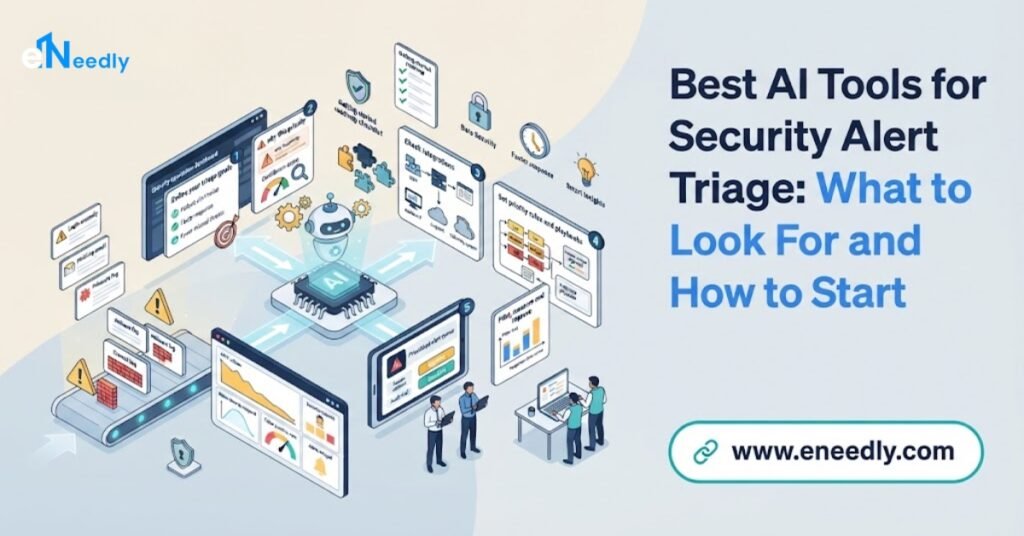
Quick Answer
The best AI tools for security alert triage help your team decide, quickly and correctly, which alerts matter. They remove duplicates, group related alerts and add context about the user, device and system involved.
They score likely seriousness and explain why. They close clearly harmless alerts with a recorded reason and pass the rest to the right person with the evidence ready.
They remove duplicates, group related alerts, add context about the user, device and system involved, score likely seriousness, explain why, close clearly harmless alerts with a recorded reason and pass the rest to the right person with the evidence ready.
Because every environment is different, no single tool is best for everyone. The right choice is the one that performs well on your own alerts, connects to your existing tools and keeps people in control.
eNeedly, a digital solutions agency with over 8 years of experience and a focus on workflow automation, helps organizations test triage approaches on their own data and build the routing, review and reporting workflows around them.
What Is Security Alert Triage?
Security tools watch your systems and raise an alert whenever something looks suspicious: an unusual login, a blocked file, a strange connection or an odd change to an account. Most organizations receive far more alerts than they can examine closely.
Triage is the first decision made about each alert. Borrowed from emergency medicine, the word means sorting by urgency. For every alert, an analyst asks:
- Is it real? Or is it a false alarm or a harmless event?
- How serious is it? What could it affect, and how quickly?
- Is it related to something else? Does it belong to an incident already being handled?
- Who should handle it? Which person or team has the skills and authority?
- What should happen next? Close it, watch it, investigate it or respond immediately?
Good triage means the serious alerts are noticed fast, and the harmless ones do not waste anyone’s time. Poor triage means real threats are lost in the noise, or analysts burn out chasing false alarms.
Why Is Security Alert Triage So Difficult?
Triage looks simple but becomes very hard at scale.
- Volume. Many tools produce thousands of alerts, and the number grows as the organization grows.
- False alarms. A large share of alerts turn out to be harmless, but each still needs a decision.
- Missing context. An alert alone says little. Deciding often requires looking up who the user is, what the device does and what else has happened.
- Scattered tools. Evidence lives in several systems, and analysts switch between screens.
- Duplicates and fragments. One event can create many alerts in different tools.
- Inconsistent decisions. Two analysts may judge the same alert differently, or one analyst differently depending on the time of day.
- Alert fatigue. Repeated false alarms make people less attentive, which is when a real threat slips through.
- After-hours gaps. Alerts arrive at night and on weekends when few people are available.
- Poor records. Decisions and reasons are not written down, so lessons are lost.
- Skill shortages. Experienced analysts are scarce, and triage consumes their time.
These are exactly the conditions in which AI assistance is most valuable.
What Can AI Do in Security Alert Triage?
Remove duplicates and group related alerts
AI can recognize that many alerts describe the same underlying event and combine them into one case, so analysts see the story and not a pile of fragments.
Add context automatically
For each alert, the system can gather what an analyst would look up: who the user is, what role they have, what the device is used for, whether the activity is normal for them, whether the destination is known and whether similar alerts occurred before.
Score likely seriousness
AI can combine many signals, such as the sensitivity of the system, the unusualness of the behavior and links to other suspicious activity, into a priority score, and show the main reasons.
Recognize known harmless patterns
By learning from past decisions, AI can identify alerts that nearly always turn out to be harmless, such as routine scheduled tasks, and lower their priority or close them with a recorded reason, within limits you set.
Summarize
AI can write a short plain-language summary of what happened and why the alert was raised, so an analyst understands in seconds.
Suggest next steps
Based on your procedures and past cases, AI can recommend what to check next or what the usual response is, for the analyst to accept or change.
Route to the right person
The system can send each case to the analyst or team best suited to it, based on type, severity, skills, workload and schedule.
Handle first contact with users
For some alerts, such as a login from a new location, the system can ask the user to confirm whether it was them, and attach the answer to the case.
Keep records
Every decision, reason and action is recorded automatically, which supports review, learning and audits.
Learn from outcomes
When analysts correct a decision, that feedback can improve future scoring, although changes should be reviewed by people before they take effect.
What Are the Benefits?
- Faster attention to serious alerts. The important ones rise to the top.
- Less alert fatigue. Analysts see fewer, better-prepared cases.
- Faster decisions. Context is gathered before a person opens the alert.
- More consistent triage. The same factors are weighed each time.
- Round-the-clock first look. Alerts are sorted even when few people are available.
- Better use of skilled people. Senior analysts focus on investigation and improvement.
- Clearer records. Reasons for decisions are documented.
- Better tuning. Patterns in false alarms show which detection rules need adjusting.
- Scalability. Growth in alerts does not require a matching rise in manual effort.
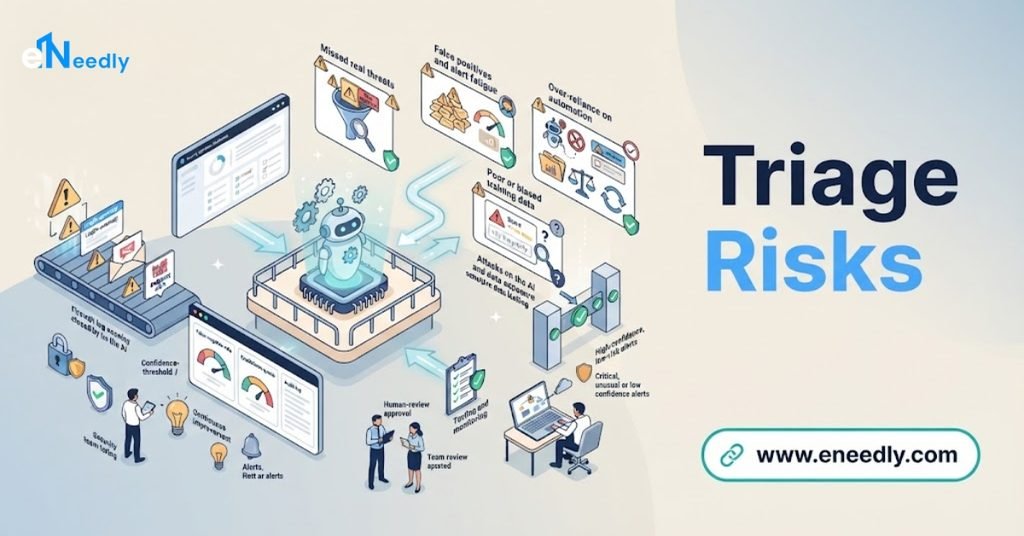
What Are the Risks? Triage Mistakes Are Costly
Triage is a gatekeeper. Mistakes in either direction matter.
Missing a real threat. If AI wrongly marks a serious alert as harmless, an attack may continue unnoticed. This is the most serious risk. It is why automatic closing should be limited to well-understood, low-risk patterns, and closed alerts should be sampled and reviewed regularly.
Too many false alarms. If the AI escalates too much, analysts are overloaded and the benefit is lost.
Unexplained scores. If nobody can see why an alert was ranked high or low, people cannot trust or correct it.
Bias toward the familiar. A system trained on past alerts may be weaker at recognizing new kinds of attack.
Manipulation. An attacker may try to make activity look like a known harmless pattern, or hide misleading text in content the system reads. Triage tools must treat external content as data, not as instructions.
Poor data. Missing or inconsistent logs create blind spots, and the best AI cannot judge what it cannot see.
Over-trust. Analysts may stop thinking critically. Track how often humans disagree with the system and why.
Silent failure. If a data feed or the triage system stops working, alerts may go unreviewed. Monitor the triage process itself.
Privacy. Context gathering involves data about people. Use should be proportionate and follow policy and the rules that apply to you.
Drift. Environments and threats change, so a triage model that worked last year may degrade.
A careful design addresses these with limits, sampling, explanations, monitoring and regular review.
What Should You Look for in an AI Alert Triage Tool?
Instead of searching for a single winner, judge any option against these criteria.
Performance on your own alerts
Test with your real alerts, including past incidents. Demonstrations on clean sample data say little.
Explainability
Can analysts see why an alert was grouped, scored or closed, with the evidence behind it?
Low risk of missed threats
Can you measure how often it wrongly downgrades real incidents, and can you set conservative thresholds?
Control over automatic closing
Can you limit what it may close automatically, require review of samples and always keep a record of the reason?
Context quality
Does it gather the context your analysts actually use, from the systems you actually have?
Integration
Does it connect to your alert sources, ticketing, identity systems and communication channels?
Grouping accuracy
Does it combine related alerts correctly without merging unrelated ones?
Tuning and feedback
Can your team adjust rules and thresholds, and does analyst feedback improve results under review?
Routing flexibility
Can it route by your rules, such as skills, shifts and escalation paths?
Resistance to manipulation
Does the vendor or design treat outside content as untrusted?
Audit trail
Is every automated decision recorded and reviewable?
Security and access control
Is the tool itself protected, with least-privilege access to your systems?
Privacy handling
Where is data stored, who can see it and is it used for anything else?
Usability
Will a small team find it easy to use every day?
Reporting
Does it show triage speed, accuracy, false alarm rates and workload clearly?
Total cost
Include subscriptions, data volume charges, setup, tuning and maintenance.
How to Test Triage Tools Fairly
A good test builds evidence and shows weaknesses before they matter.
Collect a representative set of past alerts, including real incidents, common false alarms and unusual cases.
Have experienced analysts label them with the correct decision, so you have a trusted answer key.
Run each option on the same alerts, without telling it the answers.
Measure missed threats first. Count real incidents that the tool would have downgraded or closed. This number matters most.
Measure false alarms. Count how many harmless alerts it still escalates.
Check grouping. See whether related alerts were combined correctly.
Check explanations. Ask analysts whether the reasons make sense and help them.
Test the actions. Verify that routing, closing and notifications work as limited.
Test manipulation resistance. Include alerts with misleading content and see how the tool behaves.
Run in shadow mode. Let the tool work beside your team on live alerts without acting, and compare its decisions with human decisions for several weeks.
Review the cost and effort of tuning and maintaining each option.
Decide with your analysts, because they must work with the result.
How to Roll Out AI Alert Triage Step by Step
Step 1: Understand your alerts
Count alert sources, volumes, types, false alarm rates and how long triage takes today.
Step 2: Document your triage procedure
Write down how analysts decide, which factors they weigh and what the common outcomes are.
Step 3: Choose the first target
Pick one high-volume, low-risk alert type to start with, such as a common, well-understood false alarm.
Step 4: Define limits
Decide what the AI may do alone, such as add context, group and propose a score, and what needs a person, such as closing anything above a certain risk.
Step 5: Connect your data
Give the triage system secure, minimal access to the alert sources and context it needs.
Step 6: Build the review experience
Create clear screens where analysts see the alert, the context, the score, the reasons and the proposed decision, and can accept, edit or reject.
Step 7: Run in shadow mode
Compare the system’s proposals with human decisions, and fix problems.
Step 8: Start with assistance
Let analysts use the context and summaries in real work, still making every decision.
Step 9: Add limited automation
Consider automatic closing only for narrow, low-risk alert types with strong evidence, always with a recorded reason and regular sampling.
Step 10: Train your team
Explain what the system does, how to challenge it and how to report mistakes.
Step 11: Measure and review
Track missed threats found in sampling, false alarms, triage time and analyst feedback.
Step 12: Tune and expand
Adjust thresholds and rules, feed lessons back into detection and add more alert types one at a time.
What Mistakes Should You Avoid?
- Judging tools by demonstrations. Test on your own alerts.
- Measuring only time saved. Missed threats matter more than speed.
- Letting AI close alerts without limits or sampling.
- Ignoring explanations. Unexplained scores cannot be trusted or corrected.
- Skipping shadow mode.
- Poor data feeds. Blind spots remain blind spots.
- No tuning ownership. Someone must be responsible for improving rules.
- Not monitoring the triage system. Silent failure is dangerous.
- Excluding analysts from the decision.
- Treating the rollout as finished. Review regularly as the environment changes.
How Can eNeedly Help with Alert Triage?
eNeedly combines web development, business development, digital marketing and lead generation, with a strong focus on workflow automation. We are not a replacement for your security specialists, we do not provide detection engines and we do not promise protection from every threat. We help you test triage approaches fairly and build the workflow layer that turns triage results into controlled action.
Here is what we can do for you.
Alert and triage process review
We study your alert sources, volumes and current triage procedure, find where time and accuracy are lost and set a baseline.
Test design
We help you build a fair test using your past alerts, a trusted answer key and clear measures, with missed threats counted first.
Alert intake and normalization workflows
We collect alerts from your tools into one organized place, with consistent fields, so triage works from a single view.
Context enrichment workflows
We connect your identity, device and ticketing systems, so context is added automatically to each case.
Routing and escalation
We build rules that send each case to the right person, track acknowledgement and escalate when nobody responds.
Review and approval screens
We create screens where analysts see the evidence, score and reasons, and approve, edit or reject proposals, with every decision recorded.
Limits and sampling workflows
We implement the limits you define for automatic actions, and set up regular sampling of closed alerts for human review.
AI-assisted summaries
We add AI features that summarize alerts and cases in plain language, for analysts to verify.
Dashboards and reports
We provide views of alert volumes, triage times, false alarm rates, override rates and trends, so you can see improvement and spot problems early.
Secure portals and websites
We build secure internal portals and forms for requests, approvals and reporting, with careful access control.
Training and ongoing support
We train your team and provide ongoing support, so triage keeps improving as your environment changes.
Our Process at eNeedly
Free consultation. We listen to your goals and the triage problems you face.
Review. We look at your alerts, procedures, tools and data.
Recommendation. We propose a focused first scope, the limits and the success measures.
Design. We plan the intake, context, routing, review screens and reports with your security specialists.
Build and connect. We create the workflows and link your tools.
Shadow testing. We run the workflow beside your team and compare results.
Gradual launch and training. We introduce assistance first, then limited automation, and train your team.
Monitoring and improvement. We review results and refine the workflows over time.
Which Organizations Benefit Most?
AI-assisted alert triage is especially useful for:
- Small security teams overwhelmed by alert volume.
- Managed security providers handling alerts for many clients.
- Organizations with several security tools that raise overlapping alerts.
- Growing businesses whose alert volume is rising faster than their team.
- Teams with after-hours coverage gaps.
- Teams where senior analysts spend their day on routine alerts.
- Organizations that want better records of how alerts were handled.
If your analysts open the same kinds of alert and reach the same harmless conclusion again and again, triage assistance can give them time back.
How Do You Measure Success?
Track these numbers before and after.
- Time to first triage decision.
- Missed or wrongly downgraded real incidents, found through sampling and review.
- False alarm rate among escalated alerts.
- Share of alerts resolved or closed automatically, and the accuracy of those closures.
- Analyst time per alert.
- Override rate, meaning how often analysts change the system’s decision, and why.
- Grouping quality, meaning how well related alerts were combined.
- Late or missed escalations.
- Analyst workload and satisfaction.
What Affects the Cost?
The cost depends on your environment, so there is no single price for every organization. The main factors are:
- The number of alert sources and systems to connect.
- The volume of alerts.
- The complexity of your triage rules and routing.
- The level of automation and approvals.
- Testing and shadow-mode support.
- Dashboard and reporting needs.
- Security and access requirements.
- Ongoing support after launch.
The easiest way to get a clear answer is to talk to us. After a short discussion about your alerts and goals, we can suggest a plan that fits your organization and explain what is included.
Get Started with a Free Consultation
Triage decides whether a threat is noticed in minutes or missed for weeks. AI can help your team make that decision faster and more consistently, as long as it is tested honestly, explained clearly and kept under human control. eNeedly can help you work out what to test, build the workflows around the result and grow trust step by step.
Here is how to begin:
Book a free consultation using the booking form on our website.
Tell us about your alerts and where triage time and accuracy are lost.
Receive a clear plan for triage workflows that fit your organization.
You can also contact us directly at info@eneedly.com or on +92 345 114 4664.
Frequently Asked Questions
What is security alert triage?
It is the first decision made about each security alert: whether it is real, how serious it is, whether it relates to other alerts, who should handle it and what should happen next. Good triage lets serious alerts be noticed quickly and keeps harmless ones from wasting time.
How does AI help with alert triage?
AI can remove duplicates, group related alerts, add context, score likely seriousness, recognize known harmless patterns, summarize what happened, suggest next steps and route cases to the right person, while keeping records of every decision.
Can AI close alerts automatically?
It can for narrow, low-risk, well-understood patterns, but this should be limited, recorded with a reason and regularly sampled by people. Automatic closing of broad categories is risky, because a wrongly closed real threat may go unnoticed.
How do I choose the best triage tool?
Test candidates on your own past alerts with a trusted answer key. Measure missed real incidents first, then false alarms, grouping, explanations and ease of use. Run a shadow period on live alerts and involve your analysts in the decision.
Will AI miss real attacks?
It can, which is why testing, conservative thresholds, explanations, sampling of closed alerts and human oversight are essential. No tool is perfect, so triage should be one layer among several defenses.
Will AI replace security analysts?
No. AI handles repetitive sorting and context gathering, while analysts judge complex alerts, investigate incidents, respond and improve defenses. The goal is to give analysts time for work that needs human expertise.
How long does it take to set up AI-assisted triage?
The timeline depends on the number of alert sources, the volume of alerts, the systems to connect and your testing and approval requirements.
A focused first scope, such as context enrichment and routing for one alert type in shadow mode, is faster than a full rollout. After reviewing your environment, we can give you a realistic timeline.
Why choose eNeedly for triage workflows?
eNeedly combines web development, business development, digital marketing and lead generation, with over 8 years of experience and a focus on workflow automation.
We help you test fairly and build the intake, context, routing, review and reporting workflows around your own procedures, working alongside your security specialists, and you can start with a free consultation to see how it would work for your organization.