
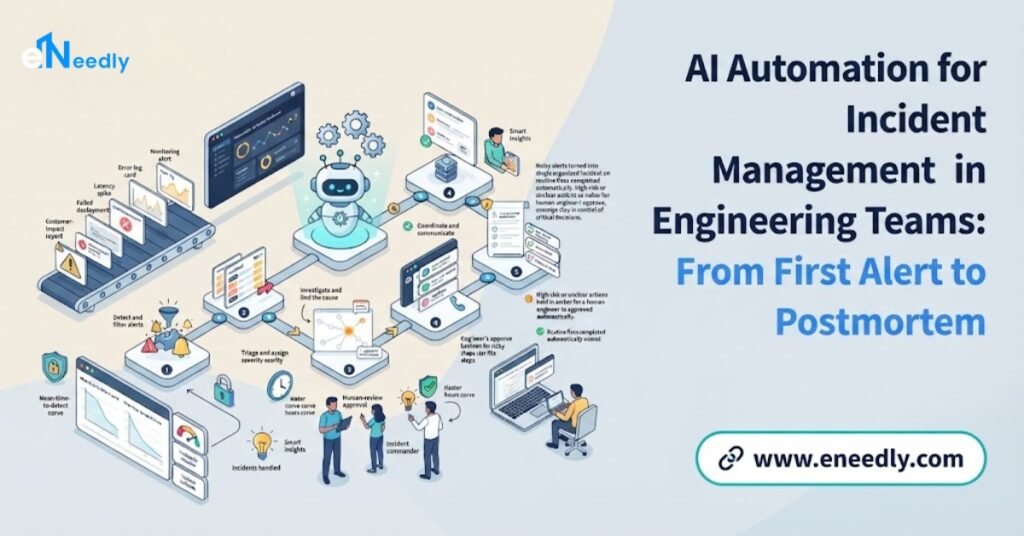
Quick Answer
Incident management automation handles the repetitive, time-pressured work around a production problem. It groups alerts, pages the right on-call engineer and opens the incident channel and ticket. It gathers context such as recent deployments and related incidents, suggests runbook steps, drafts status updates and captures the timeline for the postmortem
Opening the incident channel and ticket, gathering context such as recent deployments and related incidents, suggesting runbook steps, drafting status updates and capturing the timeline for the postmortem.
Engineers stay in charge of diagnosis, decisions and any risky action. The result is faster acknowledgement, less confusion during an outage, calmer communication and better learning afterward.
eNeedly, a digital solutions agency with over 8 years of experience and a focus on workflow automation, helps engineering organizations design and build the coordination workflows, integrations, update templates and dashboards around their own tools and practices.
What Is Incident Management, and Where Does Incident Management Automation Fit?
An incident is an unplanned event that disrupts or threatens a service: a website that is down, an application that is slow, a deployment that breaks a feature or a database that stops responding.
Incident management is the set of practices a team uses to respond, restore service and learn from what happened. These practices are central to disciplines such as site reliability engineering, which treats reliability as something to be designed, measured and improved.
A typical incident follows a lifecycle.
Detection. Monitoring, users or staff notice a problem.
Alerting. The right people are notified, often through an on-call schedule.
Triage. The team decides what is happening, how serious it is and whether to declare an incident.
Coordination. Roles are assigned, such as someone leading the response and someone handling communication, and a shared place for discussion is opened.
Diagnosis and mitigation. Engineers find the cause or a way to reduce the impact, for example by rolling back a change.
Resolution. Service is fully restored and verified.
Communication. Stakeholders and, if needed, customers are kept informed throughout.
Review. The team holds a blameless postmortem to understand causes and agree improvements.
Follow-up. Actions from the review are tracked until they are done.
Every stage involves tasks that people must do under pressure, and many of them are repetitive.
Why Is Incident Management Hard for Engineering Teams?
Engineering teams of every size recognize these problems.
- Alert noise. Monitoring generates many alerts, and a single failure can trigger dozens.
- Slow acknowledgement. Alerts reach the wrong person, are missed or wait for someone to notice.
- Coordination overhead. In the first minutes, people spend time creating channels, tickets and meetings instead of fixing the problem.
- Missing context. Engineers hunt through dashboards, logs, deployment history and old incidents to understand what changed.
- Chaotic communication. Stakeholders ask for updates, interrupting the people who are trying to fix things.
- Joining late. People who join mid-incident need to be brought up to speed.
- Unclear roles. Without an agreed structure, several people do the same thing and nobody does something else.
- Inconsistent practice. Different teams handle incidents differently.
- Poor records. The timeline is reconstructed from memory afterward, so postmortems are slow and incomplete.
- Forgotten follow-ups. Action items from reviews are never completed, and the same incident returns.
- On-call fatigue. Night-time pages and repeated false alarms exhaust engineers.
- Knowledge in a few heads. Only a few people know how to fix certain systems.
These problems affect reliability, customer trust and engineers’ wellbeing.
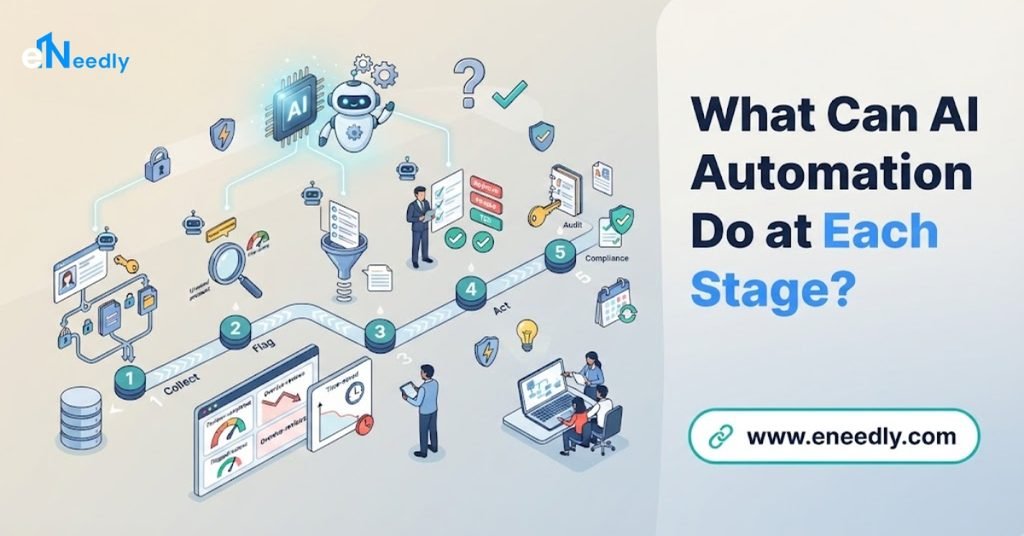
What Can AI Automation Do at Each Stage?
Detection and alerting
- Group and deduplicate alerts. Many related alerts become one incident candidate.
- Reduce noise. Known harmless or repeated alerts are lowered in priority or suppressed within limits you set, with a record of the reason.
- Route to the right person. Using the on-call schedule, service ownership and escalation rules, the page goes to the right engineer, with automatic escalation if there is no response.
- Add context to the page. The alert includes what service is affected, recent changes and links to the relevant dashboards.
Triage and declaration
- Suggest severity. Based on impact signals and past incidents, the system proposes a severity level for a person to confirm.
- Check for related incidents. It points out similar past incidents and any current incidents that might share a cause.
- Open the incident quickly. Once an engineer declares an incident, the workflow creates the ticket, the communication channel, the call link and the status record in seconds.
Coordination
- Assign roles. The workflow asks who will lead the response and who will handle communication, and records it.
- Bring in the right people. It suggests and pages owners of affected services.
- Keep the channel organized. It posts key facts at the top and pins current status.
- Catch up late joiners. AI can produce a short summary of what has happened so far, so newcomers do not interrupt the team.
Diagnosis and mitigation
- Gather context automatically. Recent deployments, configuration changes, feature flag changes, related alerts, error patterns and similar incidents are collected in one place.
- Suggest next steps. Based on runbooks and past incidents, the system proposes likely checks or fixes for engineers to evaluate.
- Run safe diagnostics. Approved, read-only checks, such as collecting logs or testing a connection, can run automatically.
- Support approved mitigation. For well-understood problems, low-risk actions such as restarting a stuck component can run with limits. Higher-risk actions, such as rolling back a release, should require a person’s approval.
Communication
- Draft status updates. AI drafts clear updates for internal stakeholders and, where appropriate, for customers, based on the incident record, for the communication lead to review and send.
- Send updates on a schedule. Reminders ensure that updates go out at the agreed intervals, even during a busy incident.
- Update status pages. With approval, status information is published consistently.
- Tailor messages. Technical detail for engineers, plain language for managers and customers.
Resolution and review
- Capture the timeline. Messages, actions, alerts, deployments and decisions are recorded automatically with times.
- Draft the postmortem. AI assembles a first draft from the timeline: what happened, impact, detection, response, contributing factors and open questions, for the team to correct and complete.
- Suggest follow-up actions. Based on the incident, the system proposes candidate actions for the team to accept or reject.
- Track actions. Accepted actions become tickets with owners and due dates, with reminders until they are closed.
- Find patterns. Over time, reports reveal recurring causes, noisy alerts, fragile services and on-call load.
What Are the Benefits?
- Faster acknowledgement and response. The right person is paged with context at once.
- Less administrative work during incidents. Channels, tickets and updates are created automatically.
- Fewer interruptions. Scheduled updates and catch-up summaries protect the responders’ focus.
- Better context sooner. Engineers spend less time hunting for what changed.
- More consistent process. Every incident follows the same pattern, regardless of who is on call.
- Calmer, clearer communication. Stakeholders receive regular, accurate updates.
- Better records. The timeline exists without anyone reconstructing it from memory.
- Faster postmortems. Draft documents save hours of writing.
- More completed follow-ups. Tracking and reminders reduce repeat incidents.
- Healthier on-call. Less noise and less coordination work reduce fatigue.
- Knowledge sharing. Past incidents and runbooks are surfaced when needed, so fewer problems depend on a few experts.
What Should Stay with Engineers?
Automation supports engineers. It must not take over the judgment that incident response requires.
- Diagnosis. AI can suggest, but engineers decide what is really happening.
- High-risk actions, such as rolling back a release, failing over a database or changing production configuration, should require approval.
- Severity and declaration decisions in unclear situations.
- Customer-facing communication. Drafts are helpful, but a person responsible for communication should review and send them.
- Security-sensitive decisions.
- The blameless review itself, including the conversation about causes and improvements.
- Prioritizing follow-up work against other engineering priorities.
What Are the Risks?
Wrong suggestions. AI can propose a plausible but wrong cause or fix, especially in an unusual incident. Treat suggestions as hypotheses and show the evidence.
Automatic actions that make things worse. A restart at the wrong moment or a rollback of the wrong change can deepen an outage. Limit automatic actions, require approvals for risky ones, add pre-checks and post-checks and keep a tested way to stop automation.
Noise suppression that hides a real problem. Suppressing alerts is risky. Do it within limits, record the reason and review what was suppressed.
Inaccurate status messages. A drafted update that overstates progress or reveals sensitive detail can damage trust. Always review before sending.
Sensitive data in summaries. Incident channels may include secrets, customer data or security details. Control what the AI can read and where its output goes.
Over-reliance. Engineers may stop thinking critically, or lose the skill of running incidents manually. Practice and review.
Blame culture. Automated timelines can be used to blame individuals. Keep the review blameless and focused on systems and processes.
Automation failures. If the incident workflow itself fails during an incident, the team needs a manual fallback.
Alert fatigue returns. If grouping and routing are poorly tuned, noise remains.
Privacy and access. Incident tools see a lot. Use least-privilege access and keep a record of what automation did.
A careful design with limits, approvals, review and a manual fallback addresses most of these.
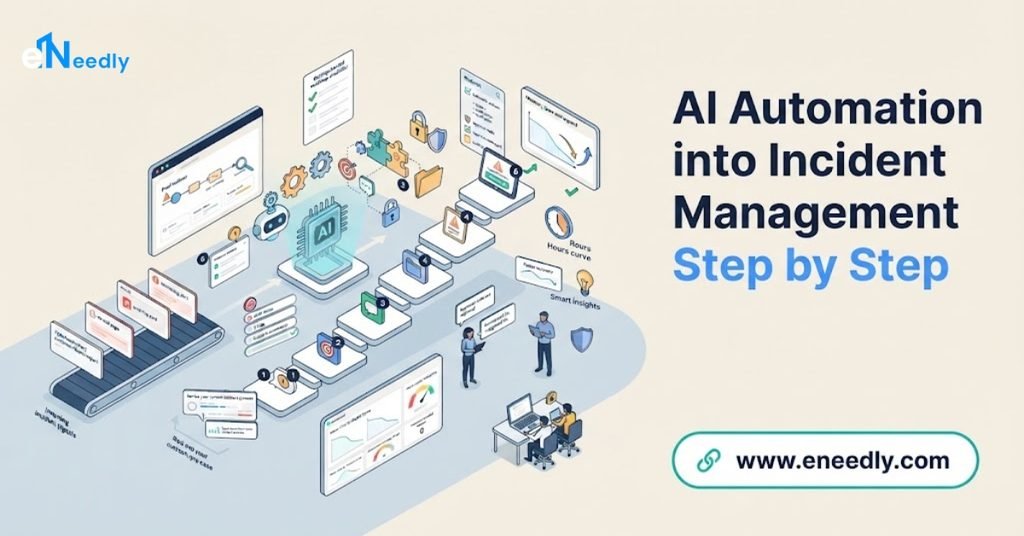
How to Introduce AI Automation into Incident Management Step by Step
Step 1: Look at your recent incidents
Review the last few months: how they were detected, how long each stage took, where time was lost, how many people were paged and which tasks were repeated every time.
Step 2: Measure your baseline
Record time to acknowledge, time to mitigate, time to resolve, number of pages per engineer, false alarm rate, postmortem completion and follow-up completion.
Step 3: Write down your process
Define severity levels, roles, escalation paths, communication rules and what makes an incident. Automation needs a clear process to follow.
Step 4: Start with coordination automation
The safest and most valuable first step is usually the administrative work: opening the channel, ticket and call, assigning roles, posting key facts and setting update reminders.
Step 5: Improve alert routing
Group duplicates, route by ownership and on-call schedule and add context to pages. Tune carefully and review what is changed.
Step 6: Add context gathering
Automatically collect recent changes, related incidents, relevant dashboards and runbooks into the incident channel.
Step 7: Add summaries and update drafts
Use AI to summarize the incident for newcomers and draft updates, with human review before anything is sent.
Step 8: Capture the timeline and draft postmortems
Record events automatically and generate a first draft of the review for the team to complete.
Step 9: Track follow-up actions
Turn accepted actions into tickets with owners, due dates and reminders, and report on completion.
Step 10: Introduce safe automated actions
Only after the above works well, add approved, reversible, well-understood actions, with limits and approvals, and test them in a safe environment.
Step 11: Run exercises
Practice with simulated incidents to test the workflows, the people and the fallback procedures.
Step 12: Measure, review and improve
Compare results with your baseline, collect feedback from on-call engineers and refine.
What Mistakes Should You Avoid?
- Automating before defining the process. Agree on roles and severity first.
- Starting with risky automatic fixes. Begin with coordination and context.
- Trusting AI diagnoses without evidence.
- Sending AI-drafted updates unreviewed.
- Suppressing alerts without review.
- Ignoring on-call feedback. The people paged at 3 a.m. know what hurts.
- No manual fallback.
- Letting timelines become a blame tool.
- Skipping practice.
- Not tracking follow-ups. Without completion, the same incident returns.
- Exposing sensitive data to tools without control.
How Can eNeedly Help?
eNeedly combines web development, business development, digital marketing and lead generation, with a strong focus on workflow automation. We are not a monitoring vendor, and we do not replace your engineers or your incident leaders. We help you design and build the coordination and communication layer around the tools you already use.
Here is what we can do for you.
Incident process review
We study how your recent incidents unfolded, find the repeated manual tasks and design a clearer process with agreed roles and severity levels.
Incident coordination workflows
We build workflows that open the channel, ticket and call, assign roles, post key facts and set update reminders as soon as an incident is declared.
Alert routing and escalation
We connect your monitoring, on-call and ticketing tools, so alerts are grouped, routed by ownership and escalated automatically when no one responds.
Context gathering
We build integrations that collect recent changes, related incidents, dashboard links and runbooks into the incident record.
AI-assisted summaries and update drafts
We add AI features that summarize the incident for newcomers and draft status updates for stakeholders, always for human review.
Stakeholder and status communication workflows
We create simple screens and templates for internal and customer updates, with approvals, schedules and a clear record.
Timeline capture and postmortem workflows
We record the incident timeline automatically and set up draft postmortem documents, with review steps and follow-up action tracking.
Guardrails for automated actions
We implement the limits, approvals, pre-checks and kill switches you define for any automatic action.
Dashboards and reporting
We provide views of incident counts, response times, pages per engineer, recurring causes and follow-up completion, so you can see where reliability and on-call health can improve.
Internal portals and secure access
We build secure internal portals and forms for incident requests, approvals and reporting, with careful access control.
Training and ongoing support
We train your team and provide ongoing support, so the workflows keep improving as your systems and practices change.
Our Process at eNeedly
Free consultation. We listen to your goals and the incident management problems you face.
Review. We look at recent incidents, tools, on-call setup and practices.
Recommendation. We propose a focused first scope, starting with coordination, and the success measures.
Design. We plan the workflows, integrations, approvals and reports with your engineers.
Build and connect. We create the workflows and link your tools.
Testing. We test with past incidents and simulated exercises.
Pilot and training. We launch with one team and train your people.
Monitoring and improvement. We review results and expand carefully.
Which Engineering Teams Benefit Most?
Incident management automation is especially useful for:
- Growing engineering teams whose services and on-call load are expanding.
- Teams with many services and owners, where routing and context are difficult.
- Companies with customers who depend on uptime, such as online businesses and software providers.
- Small teams with shared on-call, where fatigue is a real risk.
- Organizations with inconsistent incident practice across teams.
- Teams that struggle to finish postmortems and follow-ups.
- Managed service providers and agencies running systems for clients.
If your engineers spend the first ten minutes of every incident creating channels and finding context, there is room to improve.
How Do You Measure Success?
Track these numbers before and after.
- Time to acknowledge an alert.
- Time to declare, mitigate and resolve incidents.
- Pages per engineer and out-of-hours pages.
- False alarm and duplicate alert rates.
- Share of incidents following the agreed process.
- Update timeliness, meaning how often updates went out on schedule.
- Time to produce a postmortem and the share completed.
- Follow-up action completion rate.
- Repeat incidents from the same cause.
- On-call engineer satisfaction.
What Affects the Cost?
The cost depends on your environment, so there is no single price for every team. The main factors are:
- The number of services, teams and tools to connect.
- The volume of alerts and incidents.
- The complexity of your routing, escalation and communication rules.
- The amount of AI assistance and review.
- The level of automated action and approvals.
- Dashboard and reporting needs.
- Security and access requirements.
- Ongoing support after launch.
The easiest way to get a clear answer is to talk to us. After a short discussion about your incidents and goals, we can suggest a plan that fits your team and explain what is included.
Get Started with a Free Consultation
Incidents will always happen. What you can control is how calm, fast and well-documented your response is, and how much you learn each time.
With carefully designed automation handling the coordination and the paperwork, your engineers can focus on what only they can do: understanding and fixing the problem. eNeedly can help you plan it, build it and keep it improving.
Here is how to begin:
Book a free consultation using the booking form on our website.
Tell us about your incident process and where time or focus is lost.
Receive a clear plan for incident workflows that fit your team.
You can also contact us directly at info@eneedly.com or on +92 345 114 4664.
Frequently Asked Questions
What is incident management automation?
It is the use of automated workflows and AI to handle repetitive parts of responding to production problems: grouping and routing alerts, opening incident channels and tickets, gathering context, drafting updates, capturing the timeline, drafting postmortems and tracking follow-up actions. Engineers keep control of diagnosis and risky decisions.
Can AI fix incidents automatically?
For narrow, well-understood problems and low-risk, reversible actions, with limits, it can. For higher-risk actions, such as rolling back a release or failing over a database, a person should approve. AI should also never be trusted to diagnose unusual incidents on its own.
What should I automate first?
Start with coordination: opening the incident channel and ticket, assigning roles, posting key facts and scheduling status updates. Then improve alert routing and context gathering. Add summaries, postmortem drafts and follow-up tracking next, and automatic actions last.
How does AI help with postmortems?
It can assemble a first draft from the recorded timeline, covering what happened, the impact, how it was detected and handled and open questions. The team corrects and completes it and keeps the review blameless, which saves time without removing the learning conversation.
Will AI reduce on-call fatigue?
It can help by grouping duplicate alerts, reducing noise within sensible limits, routing pages to the right person and removing coordination work. Careful tuning and regular review are needed, because poorly tuned suppression can hide real problems.
Is it safe to put incident data into AI tools?
It can be if you control access. Incident channels may contain secrets, customer data or security details, so decide what AI may read, where its output goes and who can see it, and keep a record of what it did.
How long does it take to set up?
The timeline depends on the number of tools to connect, your routing and escalation rules and your approval requirements. A focused first version, such as automatic incident setup and update reminders, is faster than a full rollout. After reviewing your process, we can give you a realistic timeline.
Why choose eNeedly for incident workflow automation?
eNeedly combines web development, business development, digital marketing and lead generation, with over 8 years of experience and a focus on workflow automation.
We build the coordination, communication and reporting workflows around your own tools and practices and work alongside your engineers, and you can start with a free consultation to see how it would work for your team.