
Quick Answer
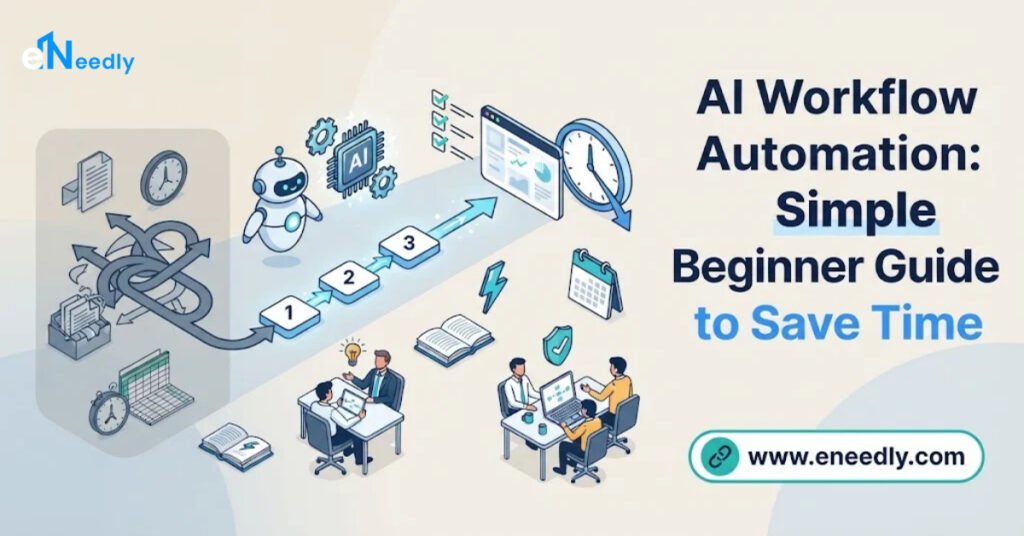
AI workflow automation means using AI to automate tasks: you pick a repetitive job, such as replying to inquiries, sorting documents or building reports, and set up a workflow where AI reads the information, makes a simple decision and passes the result to the next step automatically.
The best results come from applying AI where work is repetitive and rule-based, while keeping people involved in sensitive decisions. eNeedly, a digital solutions agency with over 8 years of experience, helps businesses use AI in sales, customer support, marketing, finance and daily operations, building workflows that fit the way each team already works.
What Does It Mean to Use AI Workflow Automation to Automate Tasks?
Using AI to automate tasks means giving a system the job of reading, understanding and acting on information that a person would normally handle by hand.
The key idea is that AI can deal with information that is messy. A simple automated rule can send a message when a form is submitted.
But it cannot understand what a customer wrote in their own words, find the important details in a long email or decide which department should receive a request. AI can do these things.
In a typical AI-powered workflow, there are four parts:
A trigger. Something happens, such as a new inquiry, a new document or a new order.
Understanding. AI reads the information and works out what it means.
Action. The system does something useful, such as sending a reply, updating a record or alerting a person.
Review. A person checks the result when the situation is sensitive or unusual.
Once this pattern is clear, you can apply it to almost any repetitive task in your business.
Where Should You Use AI First?
The best place to start is where work is frequent, repetitive and slow. Ask yourself these questions about any task:
- Does it happen every day or every week?
- Does it follow roughly the same steps each time?
- Does it involve reading, sorting, copying or sending information?
- Does it take a person more than a few minutes each time?
- Does it often delay other work?
If the answer is yes to most of these, the task is a strong candidate. The sections below show how this looks in different parts of a business.
How to Use AI to Automate Sales and Lead Tasks
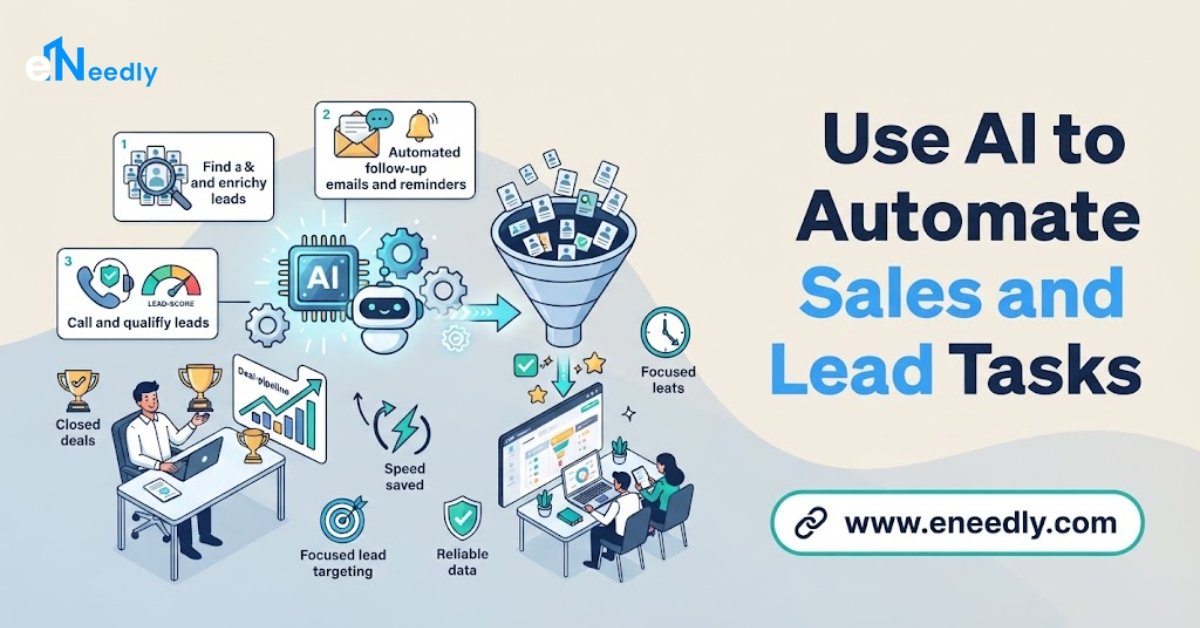
Sales teams lose a lot of time on the work around selling, and slow replies can cost opportunities.
Example workflow: new inquiry handling
- A potential customer fills in a form on your website.
- AI reads the message and identifies what the person needs and how urgent it is.
- The lead is scored and sorted into a group, such as ready to buy, needs more information or not fit.
- A relevant first reply is sent right away.
- Qualified leads are passed to a salesperson with a short summary of what the person asked for.
What changes: Leads are answered in minutes, and the sales team starts conversations with context instead of starting from nothing.
Other sales tasks that suit AI include updating customer records after a call, scheduling follow-up reminders and preparing short summaries of each lead’s history.
How to Use AI to Automate Customer Support Tasks
Most support teams answer the same questions many times each week.
Example workflow: common questions
- A customer sends a question through your website or message channels.
- AI recognizes the topic, such as order status, opening hours, pricing or booking.
- If the answer is simple and known, the system replies immediately.
- If the question is complex or the customer is upset, it is passed to a person along with the conversation so far.
What changes: Customers get quick answers at any hour, and your support staff spend their time on the cases that truly need them.
Also useful: sorting incoming requests by urgency, tagging them by topic and drafting suggested replies for a person to approve.
How to Use AI to Automate Marketing Tasks
Marketing includes many regular tasks that follow a pattern, which makes it a good fit for automation.
Example workflow: content and campaigns
- A content calendar defines what should be published and when.
- AI helps prepare drafts and adapt the same message for different channels.
- A person reviews and approves the content.
- Posts and emails are scheduled and sent automatically.
- Results are collected and summarized in a simple weekly report.
What changes: Marketing stays consistent even when the team is busy, and decisions are based on clear numbers instead of guesswork.
Other tasks include organizing leads that come from different channels, sending follow-up email sequences and tracking which campaigns bring the best results.
How to Use AI to Automate Finance and Admin Tasks
Finance and administration are full of repetitive steps where small mistakes can be costly.
Example workflow: invoices and payments
- A job is marked complete.
- The system creates an invoice using the correct details.
- The invoice is sent to the customer.
- If payment is late, a polite reminder is sent automatically.
- A person is alerted only when a payment is very late or something looks unusual.
What changes: Cash flow improves, fewer invoices are forgotten and your team stops chasing routine reminders by hand.
Other examples include reading and sorting documents, extracting key details from forms, checking records for missing information and keeping data consistent between systems.
How to Use AI to Automate Reporting
Building reports by hand is one of the most common time drains.
Example workflow: weekly report
- Every week, the system gathers numbers from your website, sales records and marketing results.
- AI organizes the data and highlights the most important changes.
- A clear summary is created and sent to the people who need it.
What changes: Reports are ready on time, every time, and the people reading them see what matters instead of a pile of numbers.
How to Use AI to Automate Scheduling and Internal Tasks
Inside every business there are small repeated requests that add up.
Example workflow: booking and reminders
- A customer chooses an available time through your website.
- The booking is confirmed and added to the right calendar.
- A reminder is sent before the appointment.
- If the customer needs to change the time, the system handles it.
Example workflow: new employee setup
- When a new person joins, the system sends a welcome message, shares the needed information and creates a checklist for the manager.
What changes: Fewer back-and-forth messages, fewer missed appointments and less time spent on routine coordination.
What Should You Check Before Using AI to Automate a Task?
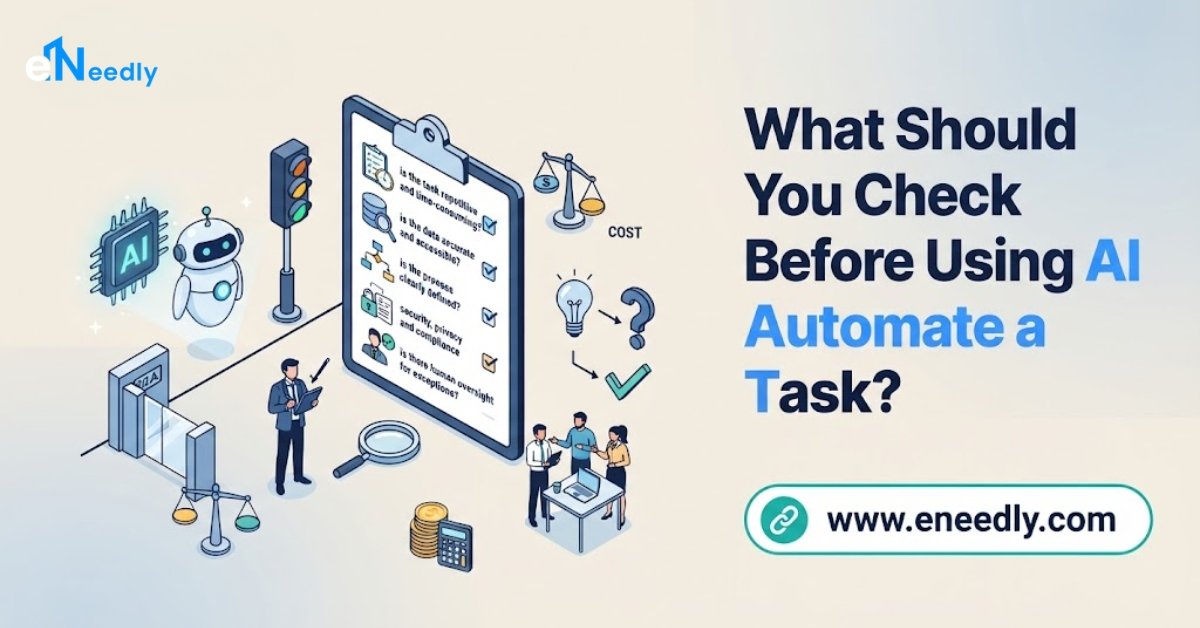
Before you build anything, answer these questions. They prevent most problems.
- Is the process clear? If your team does the task differently every time, define one standard method first.
- Is the information good? AI works with what it receives. Incomplete or messy records lead to poor results.
- What could go wrong? Think about the worst realistic mistake and decide how to prevent it.
- Who approves sensitive steps? Decide which actions need a person’s confirmation.
- Is personal data involved? If so, plan how it is stored, who can see it and how it is protected.
- How will you measure success? Choose a simple measure, such as time saved, faster replies or fewer errors.
Taking a little time to answer these questions makes the final system more reliable.
Should You Build It Yourself or Get Expert Help?
Both approaches are possible, and the right choice depends on your situation.
Doing it yourself can work when:
- The task is simple and has only a few steps.
- It involves little sensitive data.
- You have time to learn, test and fix problems.
Getting expert help is usually better when:
- Several tools must be connected.
- The workflow includes many steps or conditions.
- Customer or business data must be protected.
- A mistake would be costly or damage your reputation.
- Your team does not have the time to design, test and maintain the system.
An experienced team saves time because it already knows which tasks work well, which problems to expect and how to connect everything properly.
How Can eNeedly Help You Use AI to Automate Tasks?
eNeedly brings together digital marketing, web development, business development and lead generation. We understand the daily processes that most businesses depend on, and we build automation that fits them.
Here is how we can help.
Finding the right tasks
We review how your business works and point out the tasks where automation gives the biggest benefit.
Sales and lead automation
Using our lead generation experience, we build systems that capture inquiries, sort them by quality and respond quickly.
Customer support workflows
We help you set up automated answers for common questions, with a clear path to your team for complex cases.
Marketing automation
We help you plan content, schedule campaigns and track results, so your marketing stays consistent.
Reporting and workflow connections
We connect the tools you already use and set up automatic reports, so information moves without manual work.
Website forms and booking systems
We build forms, booking tools and customer portals that handle routine requests and pass the right details to your team.
Training and ongoing support
We explain the system to your team and offer ongoing support, so the automation keeps working well as your business changes.
Our Process at eNeedly
Free consultation. We listen to your goals and the tasks that use the most time.
Process review. We look at how work currently moves through your business.
Recommendation. We suggest which tasks to automate first and why.
Design. We plan each workflow, including which steps are automatic and which need approval.
Build and connect. We create the automation and link it to your existing tools.
Testing. We check it with real situations before it goes live.
Launch and training. We launch the system and show your team how to use it.
Review and improvement. We monitor the results and refine the system over time.
How Do You Measure the Results?
Automation should prove its value. Track a few simple measures before and after:
- Time spent on the task each week.
- Response time to customers and leads.
- Number of errors or corrections needed.
- Volume handled without adding more staff time.
- Team feedback on whether the work feels easier.
- Business results, such as more booked consultations or faster payments.
When the numbers improve, you have a clear reason to automate the next task.
What Affects the Cost?
The cost depends on your needs, so there is no single price for every business. The main factors are:
- The number of tasks you want to automate.
- The complexity of each workflow.
- The number of tools to connect.
- The amount of AI involved, from simple sorting to understanding messages and documents.
- Ongoing support after launch.
The easiest way to get a clear answer is to speak with us. After a short discussion about your tasks and goals, we can suggest a plan and explain what is included.
Get Started with a Free Consultation
You do not need to automate your whole business to see a difference. One well-chosen workflow can give your team hours back every week. eNeedly can help you choose it, build it and make sure it works.
Here is how to begin:
Book a free consultation using the booking form on our website.
Tell us about your business and the tasks that take the most time.
Receive a clear plan for using AI where it helps most.
You can also contact us directly at info@eneedly.com or on +92 345 114 4664.
Frequently Asked Questions
How can I use AI to automate tasks in my business?
Start with a task that is repetitive, follows similar steps each time and takes regular effort. Set up a workflow in which AI reads the information, decides what to do and passes the result to the next step. Keep a person involved for sensitive or unusual cases, then measure the time saved.
What is the difference between normal automation and AI automation?
Normal automation follows fixed rules, such as sending a message when a form is submitted. AI automation can also understand free text, sort documents, identify what a request is about and make simple decisions, so it can handle work that used to require a person to read and think.
Which departments benefit most from AI automation?
Sales, customer support, marketing, finance and administration usually benefit the most, because they involve frequent, repetitive tasks such as replying to inquiries, sorting requests, sending reminders and preparing reports.
Can AI handle customer questions on its own?
It can handle common, simple questions, such as order status, opening hours or booking details. Complex or sensitive questions should be passed to a person. A good setup is designed to know the difference and hand over smoothly.
Is it risky to automate tasks that involve personal data?
It can be done safely when the system is designed carefully. Limit who can access the data, store it responsibly and follow the data protection rules that apply to your business. This should be planned from the beginning.
How do I know if a task is worth automating?
A task is worth automating if it happens often, follows clear steps and takes a meaningful amount of time or often has mistakes. If your team finds it boring or repetitive, that is usually a good sign.
How long does it take to see results from AI automation?
Simple workflows can show benefits soon after launch, such as faster replies or less manual entry. Larger projects take longer to design and test. After we review your tasks, we can give you a realistic timeline.
Why choose eNeedly to help me use AI to automate tasks?
eNeedly combines digital marketing, web development, business development and lead generation, with over 8 years of experience. That gives us a practical understanding of how businesses run and where time is lost.
We focus on clear, useful automation that fits your needs, and you can start with a free consultation to see how it would work for you.