
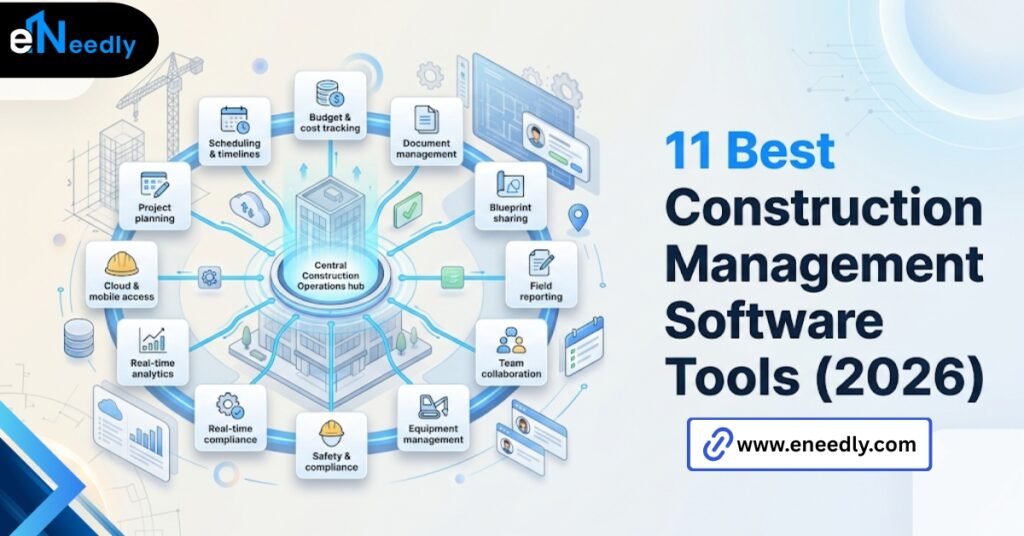
The best construction management software is the one that matches your firm’s size, job costing needs, and field conditions, not the highest-ranked option on a review site. A ten-person specialty contractor and a 300-person GC need different tools entirely.
Fit matters more than feature count. Ask ten contractors what the best construction management software is, and you’ll get ten different answers, and most of them are right for the person answering.
That’s the part review sites skip. A ranking built around general contractor workflows tells you almost nothing useful if you’re a specialty subcontractor running three crews and one office person. The list at the top might be genuinely excellent software.
It might also be the wrong tool for your exact situation, and no ranking flags that distinction. Two contractors can search the same phrase and need entirely different answers. One runs framing crews across five active jobs with tight timelines.
The other runs a single commercial build over eighteen months with a dozen subcontractors to coordinate. The software that serves one badly serves the other well.
This guide breaks down what actually separates strong options from weak ones, why “best” shifts depending on your size and trade, and how to evaluate a shortlist without getting steered by whoever paid for the top review slot.
What Makes Construction Management Software “Best” Is Different Per Contractor
There is no single universal winner in this category. There’s a best fit for your size, your job types, and how your crews actually work day to day. A firm running five jobs at once with tight margins needs airtight job costing above almost everything else.
A firm running one large multi-year project needs document control and change order tracking more than anything. Both firms could be looking at the same “top 10” list and need completely different entries from it.
This is worth saying plainly. Most buyers start the search backward. They look for the best software first, then try to make their workflow fit it. The better order is figuring out your actual workflow, then finding which platform fits that shape.
The Criteria That Actually Separate Best Construction Management Software
Feature lists make every platform look similar. The differences that matter show up somewhere else entirely.
Job Costing Accuracy
Some platforms track budget versus actual at a surface level. Others break costs down by phase and code in a way that catches an overrun while there’s still time to act on it. If job costing is loose, everything downstream, from bidding to margin tracking, inherits that looseness.
This matters more for firms running several small to mid-sized jobs at once than for firms running one large project. A single overrun on one job among fifteen is easy to miss until the monthly numbers come in. By then the crew has moved to the next phase.
Field Usability, Not Just Feature Count
A platform with 40 features and a clunky mobile app loses to one with 15 features that a super can actually navigate one-handed on a ladder. This gets underweighted constantly, because feature count is easy to compare on a spec sheet and field usability isn’t.
The way to actually test this before buying is simple and rarely done. Hand the demo phone to the person who’ll use it daily on site, not the office manager doing the evaluation, and watch how long it takes them to find the daily log entry screen unassisted.
Onboarding Time Versus Contract Length
Some platforms take six to eight weeks to configure properly. If your contract term is one year, that’s a meaningful chunk of the value you’re paying for spent on setup instead of use. Ask this question directly before signing, not after.
Vendors rarely volunteer this number unprompted, since a longer onboarding period doesn’t sell well in a demo. Get it in writing as part of the contract discussion, along with what happens to that timeline if your team is slower to adopt than average.
Construction PM Software Categories and Who Each One Fits
Construction PM software splits roughly into a few categories, and knowing which one you’re actually shopping in narrows the list fast.
- Enterprise platforms built for large GCs. Deep feature sets, longer onboarding, priced for firms with dozens of active projects and dedicated admin staff.
- Mid market platforms for growing contractors. Fewer bells, faster setup, usually the right fit for firms scaling past ten employees who need structure without enterprise overhead.
- Specialty trade platforms. Built around one trade’s workflow- electrical, mechanical, concrete- with job costing and templates specific to that trade instead of generic construction fields.
- Lightweight tools for small crews. Scheduling and document sharing without heavy budget or reporting modules, priced for a five- to fifteen-person operation.
Most buyers waste evaluation time comparing across these categories instead of within one. A specialty concrete contractor comparing themselves against an enterprise GC platform is comparing apples to a different fruit entirely.
This mistake shows up most often when a firm reads a general “top construction management software” article and assumes the number one entry applies to them. It rarely does.
The article’s author likely wrote it with a mid-size to large GC in mind, since that’s the audience most software vendors pay to reach.
Knowing your own category before you start reading reviews saves real evaluation time. It also protects against the sunk cost of a long demo cycle with a vendor whose product was never built for a firm your size in the first place.
Where Contractors Get Misled by Review Sites and Rankings
Here’s an uncomfortable truth about most “best of” construction software lists. Ranking position often correlates with marketing spend more than fit for your specific operation.
Half of what gets ranked as best is really “most funded for marketing,” not most fit for a mid-sized contractor’s actual workflow. That’s not a conspiracy.
It’s just how affiliate-driven review sites make money, and it means the list order tells you almost nothing about which tool matches your job types.
The fix isn’t ignoring rankings entirely. It’s treating them as a starting list of names to investigate, not a verdict.
A more useful approach: pull the top five names from two or three different lists, then evaluate each one directly against your job costing needs and field conditions instead of the ranking order.
The overlap between lists tells you which names are worth a real demo. The order within any single list tells you very little.
Best Construction Management Software for Small Contractors
Small contractors get pitched enterprise tiers with features they’ll never touch. What a ten-person operation actually needs is scheduling, document storage, basic job costing, and a mobile app that doesn’t fight you.
The mistake small firms make most is evaluating the same criteria a large GC would use and ending up with a platform priced and built for a company five times their size. That mismatch shows up fast in unused seats and modules nobody opens past onboarding.
A better filter for a small contractor: can one non-technical person set this up in a week without a consultant, and does the mobile app work reliably on the phones your crew already carries? Everything past that is secondary.
Price per seat matters too, but not in isolation. A cheaper platform that requires a paid consultant to configure properly can end up costing more in the first quarter than a slightly pricier one with a genuinely simple setup flow.
Best Construction Project Management Software in 2026: What Changed Recently
Construction software in 2026 leans harder into automated data entry from field photos and voice notes than it did even two years ago. That’s a real shift, not a marketing label.
What hasn’t changed is the underlying reason firms adopt these platforms. Coordination between office and site still breaks down the same ways it always has. The interface got better. The core problem didn’t move.
Buyers evaluating options this year should weigh how a vendor’s newer AI-assisted features actually reduce manual entry versus how much they’re marketing language wrapped around a modest improvement. Ask for a live demo of the specific feature, not a case study slide.
It’s worth noting which trend claims are verifiable in a demo and which ones only show up in a sales deck. If a vendor claims automated data extraction from field photos, ask to see it process a photo you provide on the spot, not a curated example from their own library.
How eNeedly Helps You Choose Without Buying the Wrong List Entry
Working through a shortlist of five platforms that all look similar on paper is where most contractors get stuck, and where vendor sales teams have the most influence over the outcome.
eNeedly evaluates software against your actual workflow, job types, and crew size instead of a generic ranking, drawing on 8+ years of helping businesses choose and implement systems that fit.
That means testing job costing against your real cost codes and mobile access against your actual field conditions before you commit to a contract.
For firms where no off-the-shelf platform fits cleanly, eNeedly also builds targeted integrations that connect gaps between systems, rather than forcing a workflow change nobody on the crew asked for.
This works both directions. Sometimes the right call is confirming a shortlist candidate is genuinely the right fit and helping negotiate contract terms that reflect your actual onboarding needs.
Other times it means recommending against the platform a firm was leaning toward, once the demo exposes a mobile app that won’t hold up on an actual job site.
What Happens After You Pick: Rollout and Workflow Fit
Choosing well doesn’t guarantee a smooth rollout. The workflow fit still has to hold up once real jobs start running through the system. The firms that succeed roll out gradually. Scheduling and documents first, job costing once the team trusts the basics, RFI and change order workflows last.

Firms that try to launch every module simultaneously tend to see adoption stall within the first month. This is the part that gets skipped in the buying decision entirely.
A great software choice with a rushed rollout produces the same frustrated crew as a mediocre software choice. Match the rollout pace to what your team can actually absorb. There’s also a role clarity question worth settling before rollout starts, not during it.
Someone on the team needs to own keeping the schedule current, and someone needs to own resolving disputes about which version of a document is correct. Software doesn’t assign that ownership on its own.
Frequently Asked Questions
Is there one software that’s best for every contractor?
No. The best fit depends on your firm’s size, trade, job costing needs, and how your crews access the platform in the field. A ranking built for large GCs rarely fits a small specialty contractor.
What software works best for small contractors?
Lightweight platforms focused on scheduling, documents, and basic job costing usually outperform enterprise tiers for small crews. The right pick lets one non-technical person set it up without a consultant.
Is the highest-ranked software always the best choice?
No. Ranking position on review sites often reflects marketing spend as much as actual fit. Treat top rankings as a starting list to investigate, not a final verdict for your specific workflow.
How do I compare construction PM software across categories?
Compare within your category first: enterprise, mid market, specialty trade, or lightweight, rather than across them. A specialty subcontractor comparing itself to enterprise GC software is rarely comparing like for like.
Does the best construction project management software change year to year?
The core problem it solves, coordination between office and field, stays constant. Specific features shift, particularly around automated data entry and field reporting.
How important is job costing when picking construction software?
For firms running tight margins across several jobs at once, job costing accuracy is often the single most important criterion. Loose job costing lets budget overruns go unnoticed until it’s too late to correct them.
How long does it take to roll out new construction management software?
Timeline depends on how many modules you launch at once. Firms that start with scheduling and documents before adding budget or RFI workflows tend to see steadier adoption than firms that launch everything simultaneously.