
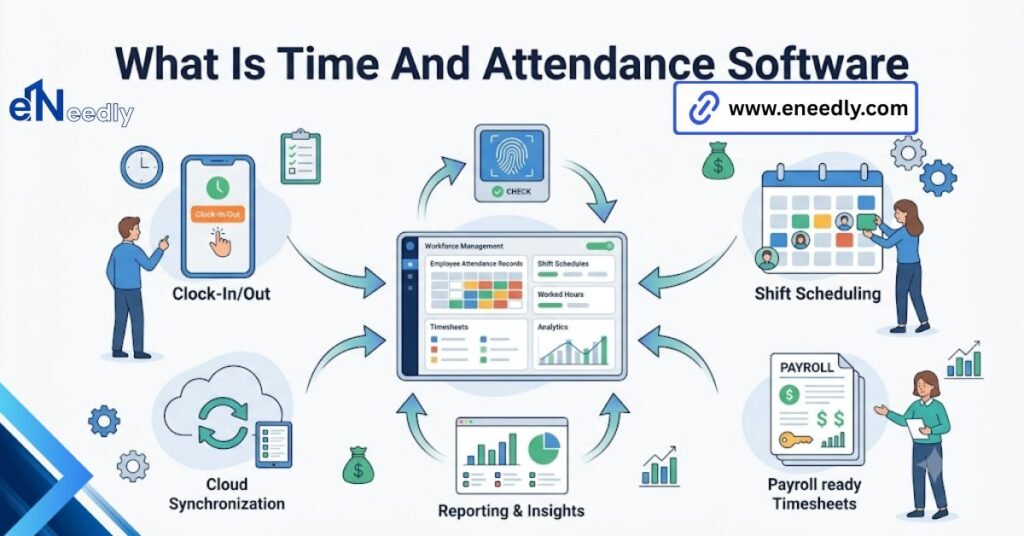
Time and attendance software is a system that tracks when employees start and stop work, then calculates total hours worked. It replaces manual timesheets with automated clock-ins, clock-outs, and rule-based calculations like overtime and breaks.
Businesses use it to cut payroll errors and free up time spent chasing paper timesheets. Someone asks their team to look into time, and the first thing that happens is confusion about what the label even covers. Some products under that name do nothing but track punches.
Others quietly include scheduling, leave requests, and a payroll connection. That inconsistency is the actual source of most buyer frustration in this category, more than any missing feature. This piece sorts out what the term means, what it does, and where its edges actually sit.
What Time And Attendance Software Actually Means
Time and attendance software is a system businesses use to record when employees start and stop work, then apply rules to that raw data to produce accurate, payable hours. The definition sounds narrow. In practice, the term gets stretched to cover a wide range of products.
At the simplest end, it means an app that captures clock-ins and clock-outs and totals the hours. At the fuller end, it means a platform that also manages schedules, tracks paid time off, and flags compliance issues like missed breaks.
Nobody polices that range. A vendor can call a bare-bones punch clock “time and attendance software” just as accurately as a company selling a full workforce management suite. That is why checking specifics matters more than trusting the category label.
How Time And Attendance Software Works, Step By Step
The mechanics are the same across most versions, even when the feature set around them varies widely. An employee clocks in through a physical terminal, a mobile app, a web browser, or a badge scan. That single event gets timestamped and stored.
Throughout the shift, the system may track breaks, lunch periods, or job changes if the employee is working across multiple cost centers. Each of these gets logged as a separate event tied to the same shift. At clock-out, the system totals the raw hours.
Then it applies configured rules: daily or weekly overtime thresholds, meal break deductions, rounding policies, holiday pay. This step is where a basic punch clock and real-time attendance software diverge sharply.
Once rules are applied, the finished, payable hours are ready to be reviewed by a manager and, in most setups, sent on to payroll.
What Time And Attendance Software Is Used For
At the most basic level, businesses use this software to answer a simple question accurately: how many hours did each person actually work? That single answer feeds almost everything downstream.
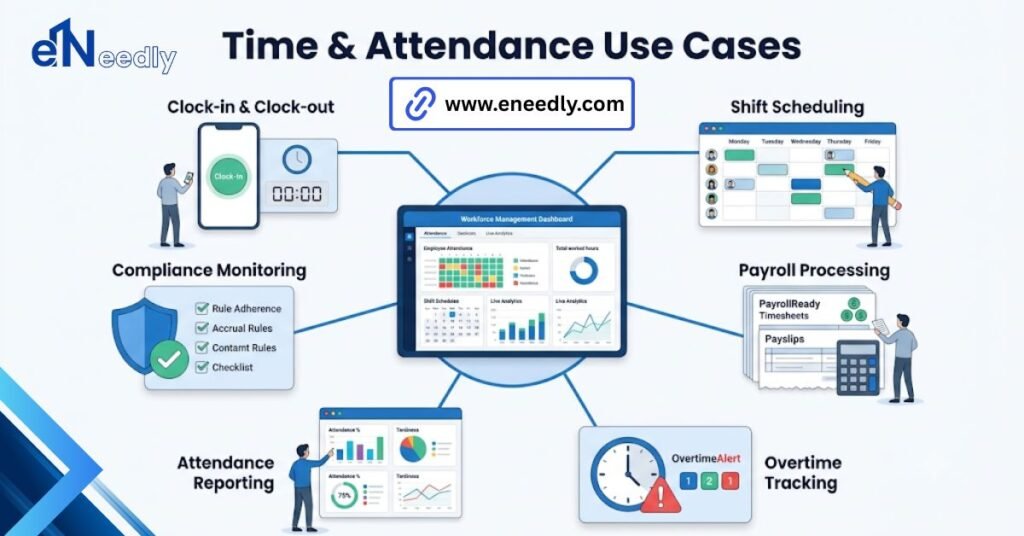
Payroll accuracy is the most common driver. Manual timesheets create errors, both accidental and intentional, and those errors turn into either overpayment or underpayment, both of which cost a business time to fix.
Compliance is a close second. Labor law in many places requires documented proof of hours worked, breaks taken, and overtime paid correctly. A digital record beats a stack of paper timesheets if a business ever faces an audit or a dispute.
Scheduling and labor cost control round out the common use cases. Managers use attendance data to see who is scheduled against who is actually clocking in, and to catch labor cost overruns before a pay period closes rather than after.
The Core Features That Define This Category
Feature lists across this category look similar at a glance. They are not equally deep, and the gap only shows up once a business is actually using the tool.
The Features Every Version Has
- Clock in and clock out capture, through some combination of terminal, app, or browser
- Basic hour totals per day and per pay period
- Some form of manager approval or review step before hours are finalized
- Export or connection to at least one payroll format
The Features Only Some Versions Have
- Scheduling and shift planning are tied to the same employee data
- Paid time off requests and accrual tracking
- Overtime and break rule automation beyond simple totals
- Job costing or project-level time tracking
- Mobile GPS or geofenced clock-ins for remote or field staff
A business assuming every product in this category includes scheduling or leave tracking is often wrong. Checking the feature list against actual need, not against the category label, avoids a gap that shows up weeks after rollout.
Time And Attendance Software Versus Payroll Software Versus HR Software
These three categories overlap enough that buyers often assume one covers the others. It usually does not, and the boundary is where most post-purchase gaps appear.
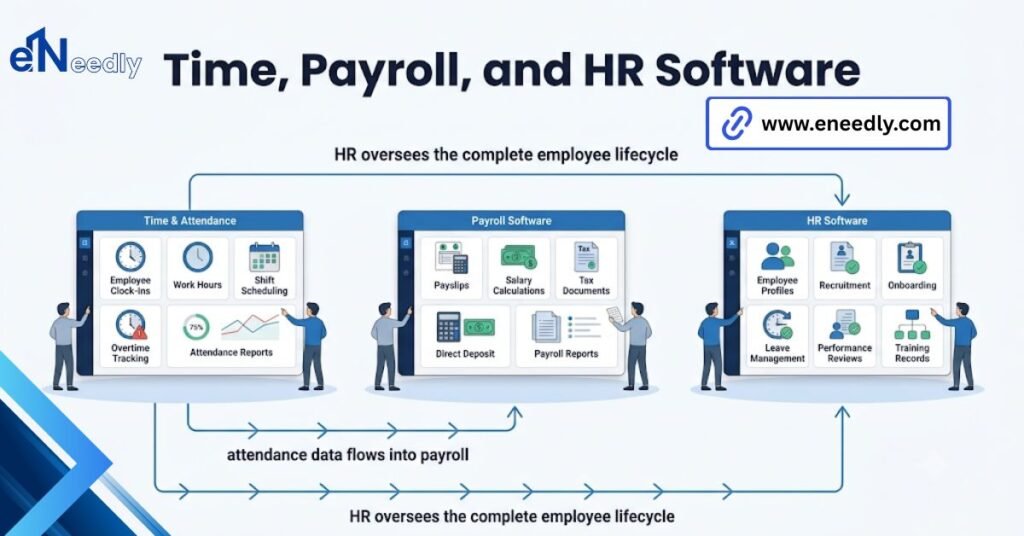
Time and attendance software owns the hours: capturing when someone worked, applying attendance rules, and producing a payable total. It stops there.
Payroll software owns what happens to that total: calculating gross pay, withholding taxes, applying deductions, and issuing pay. It generally does not track hours itself; it consumes them.
HR software owns the employee record: hiring, onboarding, benefits enrollment, performance, and often leave policy. Some platforms bundle all three functions together. Others keep them separate and connected through integration.
An all-in-one platform that bundles attendance, payroll, and HR is convenient, but each individual function inside it is often shallower than a dedicated tool built to do just that one thing well. That tradeoff rarely appears in marketing copy.
The Benefits Businesses Actually See
Reduced payroll errors are the benefit most businesses notice first, simply because it shows up as a dollar figure someone has to explain when it goes wrong. Time saved on administrative work is the second, quieter benefit.
Someone stops manually collecting, checking, and re-entering paper timesheets every pay period, and that time goes somewhere else. Here is the part that gets underweighted. What the software does not do matters more than what it does.
The unlisted boundary, the function a business assumed was included but was not, is where integration gaps and unexpected manual work tend to surface, usually months after the purchase decision is long finished.
Where eNeedly Fits When Choosing Time and Attendance Software
Choosing between a narrow attendance tool and a fuller platform is not really a product decision first. It is a decision about which functions a business wants handled by one system versus several connected ones.
eNeedly works through that decision with businesses before recommending anything specific, drawing on more than eight years of evaluating and implementing this kind of software rather than selling any single platform.
That starting point, actual pay rules, existing payroll and HR systems, and the number of employees and locations involved tend to narrow the list of realistic options faster than reading feature comparisons alone.
Frequently Asked Questions
What is the difference between time and attendance software and a time clock?
A time clock is typically just the device or app used to capture a punch. Time and attendance software includes the capture, plus the rules, reporting, and payroll connection built around it.
Is time and attendance software the same as payroll software?
No. Time and attendance software tracks and calculates hours worked. Payroll software takes those hours and calculates actual pay, taxes, and deductions, usually as a separate connected system.
Do small businesses need time and attendance software?
Many benefit even at a small size, mainly for payroll accuracy and compliance documentation. The need grows with employee count, multiple pay rates, or any requirement to prove hours worked.
Does time and attendance software include scheduling?
Sometimes, not always. Basic versions only capture clock-ins and clock-outs. Fuller platforms add scheduling, leave tracking, and other workforce management features under the same label.
How is time and attendance software different from a spreadsheet timesheet?
A spreadsheet requires manual entry and manual rule application, both prone to error. Software automates capture and applies overtime, break, and rounding rules consistently without someone recalculating by hand.
What size business typically uses time and attendance software?
Businesses of nearly any size use it, from a handful of employees to thousands. The features that matter, like multi-location support or job costing, tend to scale with company size and complexity.