
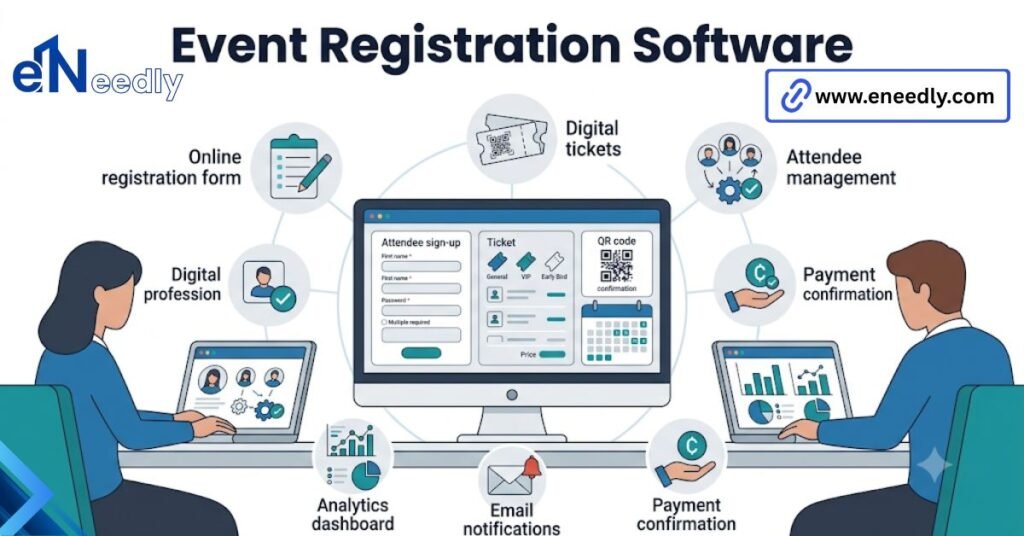
Quick answer: Event registration software is a system that handles sign-ups, ticketing, payments, and check-in for events. It works by collecting attendee information and generating a ticket or badge for check-in. Businesses use it to cut manual admin work and keep attendee data organized.
The registration page is where you lose people before the event even starts
A clunky sign-up form loses registrants before they’ve seen a single detail about the event itself. That’s the quiet cost of a bad registration flow, and it’s rarely visible in the numbers a team looks at afterward.
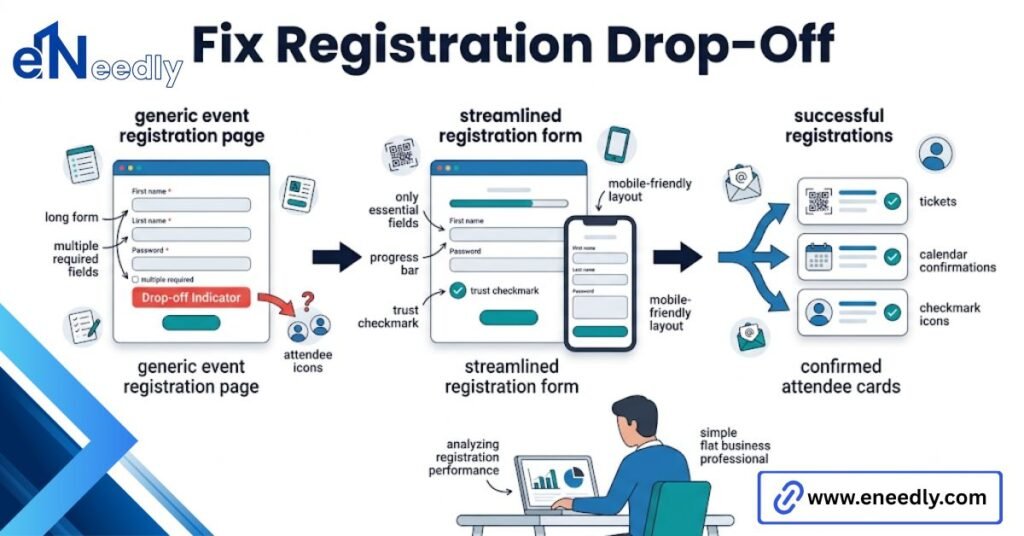
Most teams never see the drop-off. They see the final registration count and assume it reflects interest in the event, when it might just as easily reflect how many people gave up halfway through a form that asked for too much too soon.
The software’s job starts here, before payment, before check-in, before any of the parts that get more attention in a vendor demo. Get this wrong, and everything downstream is working with a smaller pool than it should be.
Field count is usually the culprit. Every additional field on a registration form costs completions, and most teams add fields because someone might want the data, not because the event actually needs it.
A three-field form and a twelve-field form convert very differently, even when the twelve-field version feels more thorough on the planning side.
The instinct to collect more data upfront usually comes from a good place. Someone wants to segment attendees later or personalize the event experience. That instinct is worth keeping, just not at the cost of the form itself.
What this kind of software actually does
This kind of software collects attendee sign-ups, processes payments where needed, and generates tickets or badges used for check-in at the event. That’s the core function, stripped of the extra features vendors layer on top.
Online event registration sometimes gets used as a narrower term, referring specifically to the web-based sign-up process rather than the full system behind it. The distinction matters less in practice than vendors imply, since most platforms bundle both under one product.
An attendee registration system, in the fullest sense, tracks a person from the moment they click a sign-up link through payment, confirmation, and eventually a scan at the door. Software that only handles the form and stops there is doing half the job.
Ticketing and payments are the part that has to work every time
This is the part of the software that cannot fail, and it’s also where the most complexity hides behind a simple-looking checkout page. A broken payment flow doesn’t just lose a registration. It loses trust in the event before it’s even happened.
Buyers test the registration form themselves with clean data and never simulate what happens when 200 people hit submit in the same minute after an email blast goes out.
That’s exactly the moment payment processing gets stress tested for real, and it’s the moment most demos never cover.
Vendors don’t advertise that payment processing fees stack differently across ticket tiers, so a platform that looks simple can get expensive fast once group discounts or refund handling are added.
Ask for the actual fee structure across every ticket type you plan to offer. Not just the standard rate quoted upfront. Refund handling deserves its own conversation before you sign anything.
The obvious but skipped step is deciding what happens to a registration if payment fails partway through, since most platforms default to either holding the spot or dropping it, and few buyers realize which one until it happens live.
That default behavior is rarely documented clearly. Someone on your team should confirm it directly with support, in writing, before the first real event runs through the system.
Cancellation policies compound this further. If your event allows refunds up to a certain date, confirm whether the software enforces that cutoff automatically or relies on someone manually approving every refund request as it comes in.
Check-in and badges: what happens the morning of the event
Everything before this point is preparation. Check-in is where the software either holds up under real conditions or falls apart in front of a line of waiting attendees.
QR codes and where check-in speed actually breaks down
QR code check-in sounds fast in theory. Scan, confirm, move on. In practice, speed depends entirely on hardware and connectivity, not the software’s scanning logic.
A common mistake is treating check-in as a solved problem because the software offers QR codes, when the actual bottleneck is usually the WiFi or hardware at the venue, not the software itself.
A scanner that needs a live internet connection to validate every ticket will slow to a crawl on weak venue WiFi. That happens regardless of how well-built the underlying software is.
Ask specifically whether the check-in app works offline, caching data locally and syncing later. That single detail determines whether a WiFi dropout during peak arrival turns into a minor blip or a twenty-minute line.
Badge printing on-site versus preprinted
Preprinted badges are simple and predictable but require a final attendee list locked well before the event. On-site printing handles late registrations and walk-ins but adds hardware, printer jams, and another point of failure to the check-in desk.
The decision often comes down to how firm the guest list is a week out, more than anything else about the event itself. Neither option is universally better.
A corporate event with a locked guest list rarely needs on-site printing. A public conference with same-day registration usually does. Hardware reliability is the underrated factor in this decision.
An on-site printer jamming during a rush of arrivals creates the exact bottleneck badges were supposed to prevent, and it’s worth having a backup process, even something as basic as handwritten badges, for that scenario.
The sign-up form nobody tests until it’s live
Forms get built once and are rarely stress-tested against real behavior. Someone fills it out cleanly during setup, it looks fine, and it goes live without anyone trying to break it.
Real registrants do things a clean internal test never catches. They hit the back button mid-form. They open the link twice in two tabs. They abandon it on a slow mobile connection and try again later, sometimes creating a duplicate entry in the process.
A well-built form handles these cases gracefully, saving partial progress or flagging duplicates automatically. A poorly built one just produces messy data that someone has to clean up manually before the event, usually under time pressure.
Testing this properly means more than clicking through the form once internally. It means having someone outside the planning team attempt registration on a phone, on a slow connection, and deliberately doing something unexpected, before the link goes out to a real audience.
Best online event registration tool for small teams
Small teams need speed of setup over depth of features. A tool that takes a full day to configure isn’t worth it for a team running four events a year with no dedicated events staff.
Look for templates that cover common event types out of the box, so building a registration page doesn’t mean starting from a blank form every time. That alone saves more time than most feature comparisons account for.
Pricing structured around actual usage matters here too. A small team running occasional events shouldn’t pay the same monthly rate as a team running weekly webinars, and some vendors still price that way regardless of volume.
Support quality tends to matter more for small teams than for larger ones with dedicated events staff when something goes wrong the week of an event.
And there’s no one internally who’s dealt with it before; how fast and how clearly a vendor’s support team responds becomes the actual product being paid for.
Event registration software with Salesforce sync
An attendee registration system that feeds Salesforce directly saves a sales or marketing team from manually exporting and uploading registrant lists after every event. That sounds like a minor convenience until you’re doing it for the tenth event of the year.
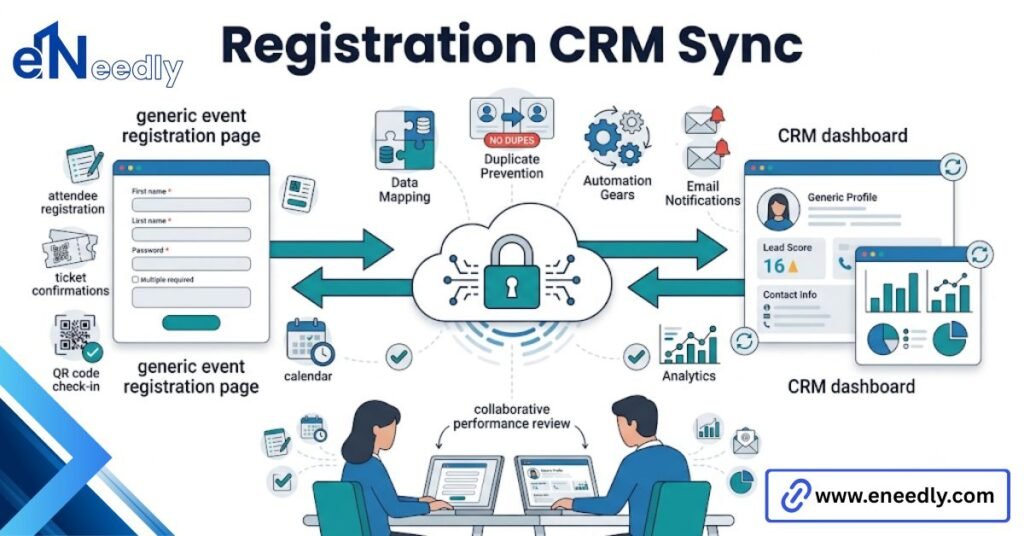
What actually matters is whether registration data reaches the team running the event floor in real time, not just whether the form looks clean, because a stack of unsynced signups the morning of the event defeats the whole point of buying software.
The same logic applies to the CRM side. A sync that runs once a day instead of instantly means a rep working a lead list is working with stale information.
For teams building this specifically around Salesforce, our pillar guide on event management software Salesforce integration covers in more depth how registration data maps to CRM records.
How eNeedly fixes registration systems that break under real traffic
Most registration problems don’t show up in year one. They show up when an event grows past the scale the original setup was built for, and a system that handled 100 registrants smoothly starts dropping data at 1,000.
eNeedly has spent 8+ years working with businesses after this exact moment, when a registration flow that worked fine at a small scale needs to be rebuilt to handle real volume without losing data or slowing down at checkout.
That work often means restructuring how the form talks to payment processing and the CRM behind it, not replacing the platform entirely. In some cases, the existing software is fine, and the configuration around it is what’s actually failing under load.
The fix is rarely dramatic. It’s usually a handful of specific bottlenecks, a webhook that times out under volume, a payment gateway with too low a rate limit, a sync job running less often than the event actually needs.
Is standalone registration software worth it over a form builder?
For a small internal event with no payment involved, a general form builder is often enough. The overhead of a dedicated attendee registration system isn’t justified for something that simple.
Once payment, ticket tiers, or check-in enter the picture, a form builder starts showing its limits fast. Manually reconciling payments collected through a generic form against a guest list is exactly the kind of manual work dedicated software exists to eliminate.
The honest line is volume and complexity, not the size of the organization. A five-person company running a single paid workshop needs real registration software just as much as a much larger one running the same kind of event.
What doesn’t scale well is trying to stretch a form builder into something it was never designed for. Teams that try usually end up rebuilding the whole flow in dedicated software after one event goes wrong, at which point they’ve paid for two tools instead of one.
Frequently Asked Questions
What is the difference between event registration software and a general form builder?
Registration software handles payment processing, ticket tiers, and check-in specifically for events, while a form builder collects data without that event-specific structure. Paid or ticketed events generally need the former.
Does this type of software handle group or bulk sign-ups?
Many platforms support this, but the experience varies widely, and some require a separate bulk upload process rather than a smooth in-form option. Confirm this directly if group registration is common for your events.
Can registration data sync automatically with Salesforce?
Some platforms offer real-time sync, while others only update on a delay or require manual export. Ask specifically about sync frequency rather than assuming integration means instant.
What happens if someone’s payment fails during registration?
This depends entirely on the platform’s default behavior, and it varies. Some hold the spot temporarily; others drop it immediately, so confirm this before your first event rather than discovering it live.
Is QR code check-in reliable at large events?
Reliability depends more on venue WiFi and whether the check-in app works offline than on the QR technology itself. Test the offline functionality specifically before a high-traffic event.
Should badges be printed in advance or on site?
Preprinted badges suit events with a locked guest list, while on-site printing better handles walk-ins and late registrations. The right choice depends on how much registration happens close to the event date.
How much does this type of software typically cost?
Pricing usually scales with registrant volume or ticket sales, and structures vary widely between flat monthly fees and per-ticket charges. For current pricing ranges across major platforms.