
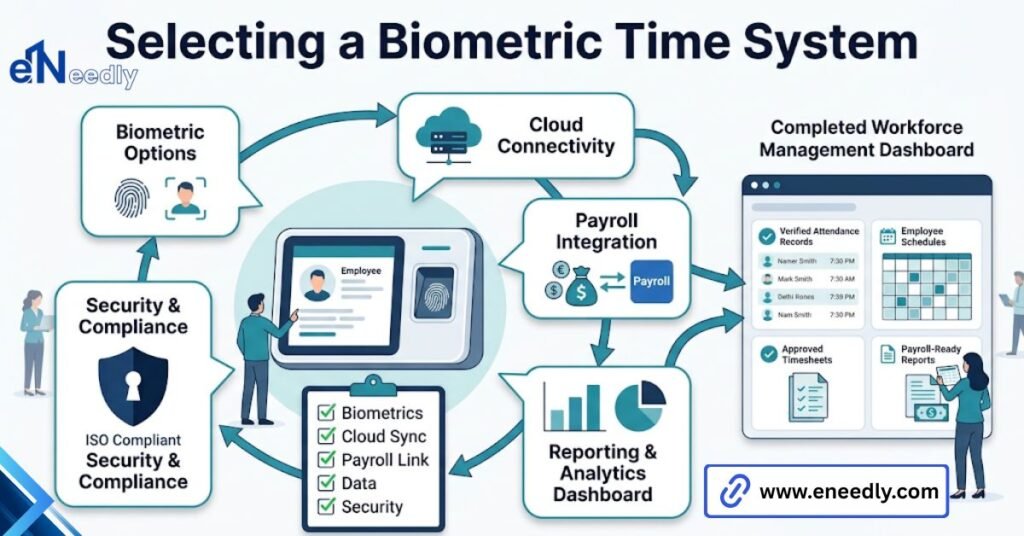
A biometric time and attendance system records staff working hours by verifying a physical trait, usually a fingerprint or face, instead of a card or PIN. Employees enroll once; then each scan is matched against the stored template and timestamped.
Businesses use it to stop buddy punching and cut payroll disputes. You are probably comparing two or three devices right now, looking at scan speed, storage capacity, and how many fingerprints each unit holds. Put that spreadsheet down for a moment.
The device is the cheapest and least important part of a biometric time and attendance system, and what you are actually buying is how the software handles the scans that fail.
That sounds like a strange thing for anyone selling hardware to say. It is why they do not say it. Every rollout we have worked on follows the same curve. The unit goes on the wall, the first hundred scans work, and everyone is pleased.
Then a warehouse worker with worn fingertips cannot get a read on Tuesday morning, and a supervisor writes his time on a sheet of paper. That sheet is where the project quietly starts to fail.
What you are actually buying, and what you are not
You are buying three things bundled under one price: a reader, a matching engine, and a set of rules for what happens when the match does not happen. Vendors sell to you first. You live with the third.
The reader is a commodity. Fingerprint sensors and face modules across the mid-market are broadly similar in accuracy, and the differences that show up on a spec sheet rarely show up at your door.
What differs is everything behind the glass. Verification and identification are not the same thing, and the difference shows up on your bill
Verification asks a narrow question: Is this person who they claim to be? The employee enters an ID or taps a card, then scans, and the device compares that scan to a stored template. Fast, accurate, slightly annoying.
Identification asks a wide question: Who is this? The employee just scans, and the device compares against every template it holds.
Identification is what people picture when they imagine biometrics, and it is what most buyers want. It is also the mode that degrades as your headcount grows, because the device is doing hundreds of comparisons instead of one. A unit that identifies 50 staff cleanly can hesitate at 400.
Ask the vendor how many templates the device holds in identification mode, not how many it stores. Those numbers are often different.
How does biometric attendance work?
A scan becomes a payroll line in four steps: enroll, capture, match, transmit. Each one has a failure mode, and only the last one is usually anyone’s job. The part that surprises people is what the device keeps. It does not store your fingerprint.
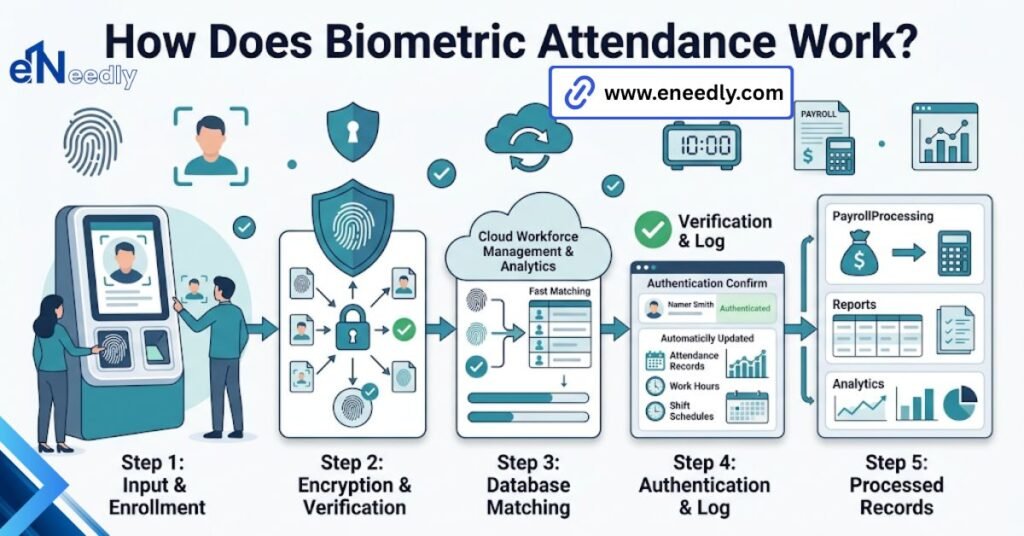
Enrollment and what the device actually stores. At enrollment, the reader captures the trait several times and reduces it to a template, which is a mathematical map of feature points rather than an image. The original scan is discarded.
That matters for two reasons. A template cannot be reversed into a usable fingerprint image in any practical sense, which is your answer when staff object. And a template made by one vendor’s algorithm is useless to another vendor’s.
Read that second point again before you sign anything. It means enrollment data does not port. Switch vendors in three years, and you enroll every employee again, one at a time, during working hours.
The match at the reader
At the door, the sensor captures a fresh scan, builds a fresh template, and scores it against what it holds. Above the threshold, the punch registers. Below it, nothing happens, and the employee tries again.
That threshold is a dial, not a fact. Tighten it, and you reject legitimate staff. Loosen it, and you start accepting the wrong ones. Most systems ship on a middle setting that suits an office and suits a construction site equally badly.
Where does the punch go next?
The punch is written to local memory with a timestamp, then pushed to whatever holds your records. On a standalone biometric attendance machine, that means someone walks over with a USB stick or pulls the file over the local network.
On a connected setup, it syncs to a server or to cloud software, which is where the useful part lives: shift rules, overtime calculation, exception approval, and the export your payroll team actually opens.
If you want the second model rather than the first, the wider category is covered in our guide to cloud-based time and attendance management software.
Enrollment is the project
Nobody plans for this. Somebody enrolls the whole workforce over two afternoons in week one, the project is declared complete, and then a new joiner arrives on a Monday at 8 am, and nobody has decided who to enroll him.
So he goes on the paper exception log. Then the next one does. Six months later, the exception log is the real attendance record, and the expensive device on the wall is a decoration.
Decide three things before the hardware ships: who owns enrollment, where the spare enrollment station sits, and how a new joiner gets into the system on day one rather than day four.
Fingerprint attendance system, face recognition attendance, or both: which suits your site?
Choose the modality of two things you already know rather than off a spec sheet: what your workers’ hands look like, and how many people hit the door in the same minute at shift change.
A fingerprint attendance system suits offices, clinics, and retail floors where staff arrive in a trickle and their hands are clean. Face recognition attendance suits manual trades, food handling, and any door where sixty people arrive inside three minutes.
Neither is more advanced than the other. They fail at different things.
| Factor | Fingerprint | Face recognition |
| Worn, cut, or wet fingertips | Frequent failures | Unaffected |
| Gloves and hygiene rules | Removal required | No contact needed |
| Throughput at shift change | Queues form | Walks through |
| Lighting dependency | None | Real and permanent |
| Mounting fussiness | Low | High |
| Typical unit cost | Lower | Higher |
When a fingerprint is the right call
Small teams, indoor doors, office hours, tight budget. If forty people share one entrance and arrive across a thirty-minute window, a fingerprint attendance system will serve you for years, and you will never think about it again.
It is also easier to sell internally. People understand fingerprints. Cameras that watch the door provoke a conversation you may not want to have this quarter.
When face recognition incurs the extra cost
Face recognition attendance removes the worn fingertip and hygiene objections, then quietly adds a lighting and mounting dependency. Where the unit goes on the wall becomes a real decision rather than an afterthought.
Put it opposite a glass entrance, and morning sun will blow out the sensor at exactly the hour everyone clocks in. Put it too high, and shorter staff tilt their heads until the match drops. Walk the wall at 8 am before you drill. Not at 2 pm when the installer is free.
Does a biometric attendance machine actually stop buddy punching?
Yes, and this is the one claim in the category that holds up without qualification. A colleague can carry your card. A colleague cannot carry your finger. Buddy punching is why most of these projects get funded, and biometric verification closes it properly rather than making it harder.
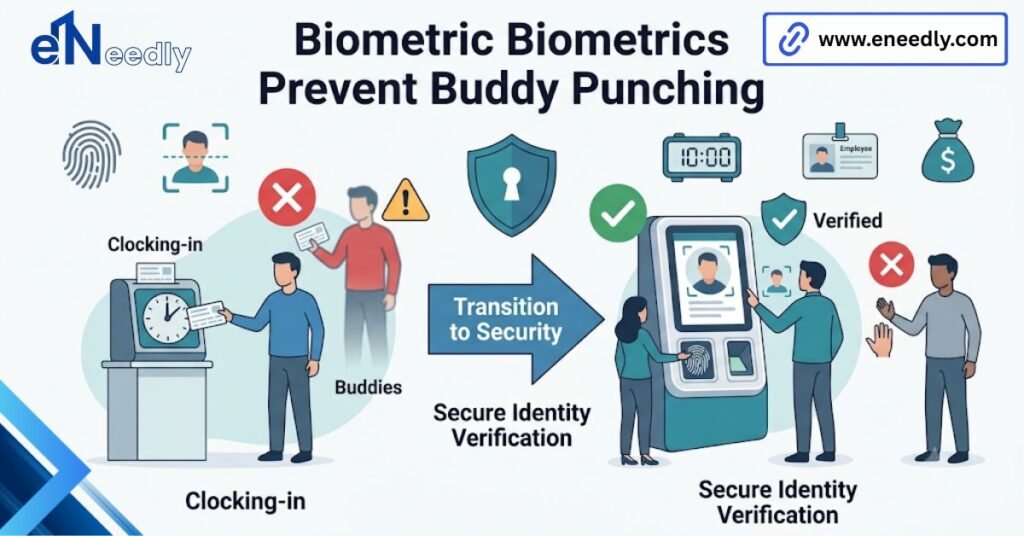
What it does not close is the ten minutes of chat between the reader and the workstation, which is a management problem wearing a technological costume.
The overlap with access control, and when to keep them separate
The same reader can open the door and record the time, and vendors will encourage that because it sells one box instead of two. Sometimes it is right. Often it is not. Attendance and access control have different failure tolerances.
If the attendance system goes down, you fix a timesheet on Friday. If the access control goes down, nobody gets into the building. Combine them only where the door and the clock in question are genuinely the same door for everyone.
What eNeedly does on these projects
eneedly do not sell biometric hardware, and we have no reason to prefer one vendor’s box over another’s. Across 8+ years of implementation work, our part starts where the vendor’s ends. Integration is usually the whole job.
The hardware works on day one, but trouble surfaces a week later in the payroll export, where the employee IDs on the device do not match those in the payroll system. Someone then reconciles two hundred rows by hand every month, forever, unless it gets fixed properly once.
We map the ID scheme, build the export in the format your payroll software actually accepts, and set the exception rules so failed scans land in a queue with an owner instead of on a supervisor’s notepad.
When the off-the-shelf software cannot express how your shifts genuinely work, and in manufacturing, it frequently cannot, we build the layer that can.
What to check before you buy a biometric time and attendance system for offices
Eight questions separate a system you forget about from a system you manage. Most buyers ask two of them. Ask all eight in the demo, and ask for the answers in writing.
Does it export to your payroll in the format your payroll actually accepts
Not “it exports to Excel”. Every system exports to Excel. Ask for a sample file of the exact export, open it, and hand it to whoever runs payroll. If they have to touch it before importing, you have bought a monthly manual task and dressed it up as automation.
What happens when the reader cannot read someone
There will always be someone: cleaners, welders, staff with certain skin conditions, and older workers with flattened ridges.
Ask what the documented fallback is. PIN, card, supervisor override, second modality. Then ask where that override is logged, because an override with no audit trail is just buddy punching with extra steps.
Offline behaviour and clock drift
If the network drops at 8 am, does the reader keep accepting punches and sync later, or does it refuse? Ask, because both behaviours exist in the market, and the second one sends everyone to the paper sheet.
Ask about clock sync too. Devices drift. A unit three minutes fast for a year is a year of very slightly wrong overtime.
Data, consent, and who owns the templates
You are holding identity data about your staff. Know where the templates live, who can export them, what happens to a leaver’s template, and what to tell an employee who refuses to enroll.
Have the refusal answer ready before the first person asks, because someone will, usually in front of others.
What it costs, and what moves the number
Hardware is rarely what makes these projects expensive. The device is a one-time line item. The software is usually priced per employee per month, so a 12-person team and a 200-person team land in very different places on a three-year view.
Three things move the number more than the reader does: how many doors you cover, whether the payroll integration is standard or custom, and whether you need shift rules the software does not ship with.
The cheapest quote in front of you is usually the one that assumes your shifts are simple. Check that assumption first.
If you want a second opinion on the quotes you are holding, and specifically on whether the export will survive contact with your payroll, our consultation is free, and we are not selling you a box.
Frequently Asked Questions
Can a biometric system work for employees with worn or damaged fingerprints?
Not reliably, and this is the most common reason fingerprint rollouts stall. Manual trades, cleaning staff, and older workers often cannot produce a consistent read. Face recognition or a documented card fallback solves it.
Does the device store my employees’ actual fingerprints?
No. It stores a mathematical template of feature points and discards the original image. The template cannot be turned back into a usable fingerprint, which is the answer to give staff who object.
Can identical twins fool a face recognition attendance system?
Sometimes, depending on the algorithm and threshold. It is a real limitation, not a myth. If you employ twins, enroll them on fingerprint instead and stop worrying about it.
Do masks, glasses, or beards break face recognition?
Glasses and beards, rarely. Masks and coverage vary sharply by vendor. If your staff wear masks routinely, test that specific condition during the demo rather than trusting the datasheet.
Will it integrate with the payroll software we already use?
Usually, yes, but “integrate” ranges from a real connector to a CSV someone reformats every month. Ask for a sample export file and give it to your payroll team before you buy.
Is a standalone machine enough, or do we need cloud software?
A standalone biometric attendance machine is enough for one door, one shift pattern, and someone willing to pull files manually. Beyond that, the manual collection becomes the bottleneck, and cloud software pays for itself.