
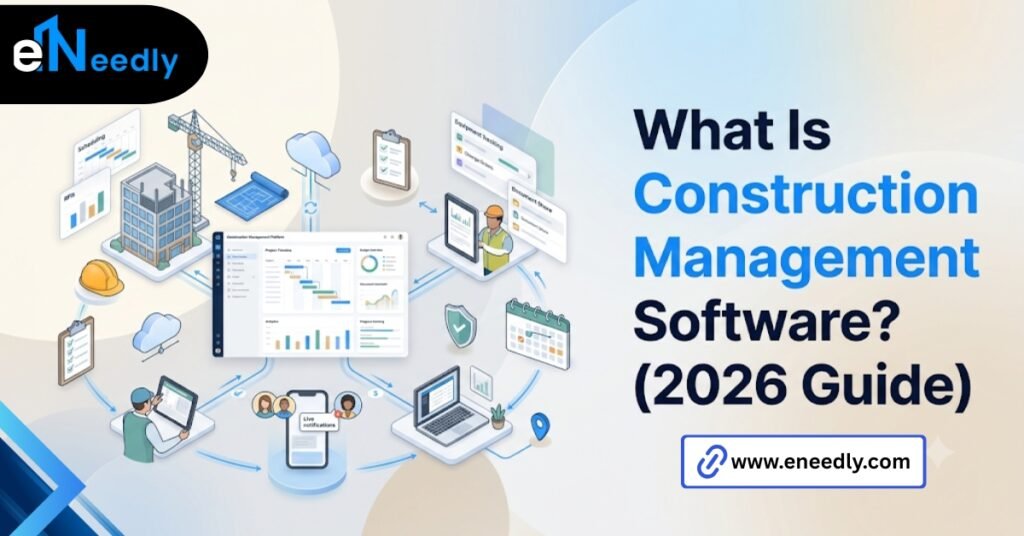
Quick Answer: Construction management software is a digital system that centralizes scheduling, budgets, documents, and field reporting for a project. It works by giving office and site staff shared access to the same live data instead of separate files.
Firms use it to catch coordination problems before they turn into cost overruns. Most people typing “what is construction management software” into a search bar already know they need something. They’re not learning the term from scratch.
What they actually need is narrower than the search suggests. They have a specific problem, a schedule nobody trusts, a change order that got lost, a budget that’s drifting, and they’re trying to figure out which category of tool actually covers it.
That distinction matters because this label covers a wide range of products. A scheduling app and a full construction ERP both get marketed with nearly identical language, and the difference between them decides whether the software actually solves your problem.
This guide walks through what the category actually includes, breaks down the modules that make up most platforms, and gets specific about which parts matter for which kind of firm, rather than treating every product under this label as interchangeable with every other.
What Construction Management Software Actually Is
Construction management software is a digital platform that organizes scheduling, budgets, documents, and communication for a construction project in one system.
That’s the clean, extractable version of the definition, and it’s true, but it undersells how varied the category actually is. Some platforms are narrow, built around scheduling alone.
Others stretch across job costing, procurement, safety compliance, and equipment tracking, functioning closer to a full operating system for a construction business than a single tool.
The gap between those two extremes is wide enough that a buyer researching this category needs to decide early which end of it actually matches their firm, rather than assuming every product sold under this name occupies the same space on that spectrum.
The label itself doesn’t tell you which one you’re looking at. Two products can share the same category name and solve almost entirely different problems.
This is why comparing construction platforms by name alone rarely works, and why so many buyers end up frustrated a few weeks into a free trial.
A firm shopping for “construction management software” without first narrowing what they mean ends up with a shortlist of products that have almost nothing in common except the marketing category they’ve chosen to sit in.
Core Modules and What Each One Actually Does
Most platforms in this category are built from a handful of modules, and knowing what each one covers cuts through marketing language fast. Reading a vendor’s feature page against this list, rather than against the vendor’s own naming conventions, is the fastest way to tell what you’re actually looking at.
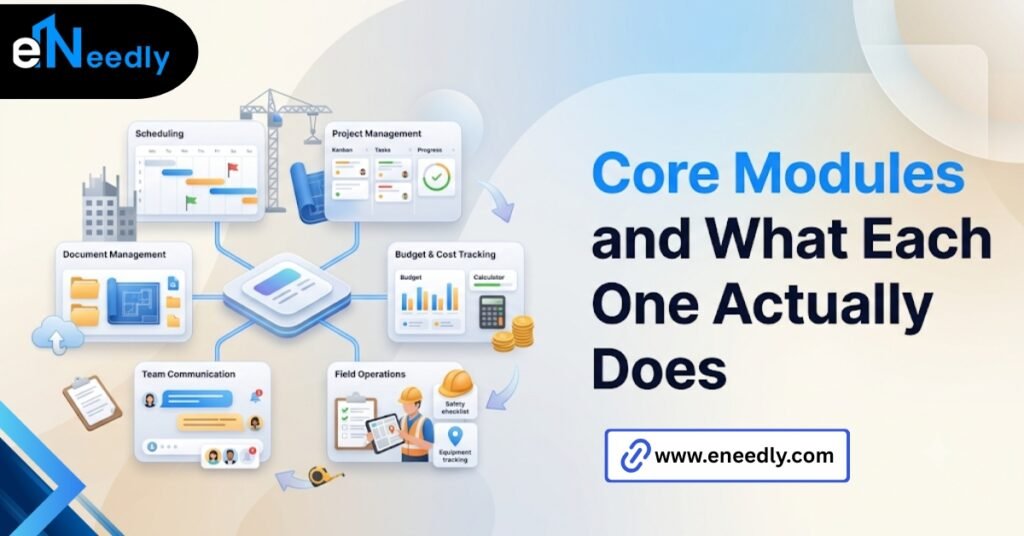
Different vendors call the same module different things, which makes comparison harder than it needs to be until you translate everything back to what the feature actually does.
- Scheduling. The master timeline for a project, often tied to tasks, crews, and milestones that update in real time.
- Document control. Drawings, specs, and permits stored in one place, version tracked so the crew isn’t working from an outdated set.
- Job costing and budgets. Committed cost versus actual spend, usually broken down by phase or cost code.
- RFIs and change orders. A formal record of requests, responses, and approvals, timestamped for accountability.
- Field reporting. Daily logs, photos, and progress notes submitted from a phone or tablet on site.
- Safety and compliance. Incident tracking, inspection checklists, and certification records where regulations require them.
Not every platform includes all six. A lightweight tool built for small crews might cover only the first two or three well, and that’s often the correct trade-off for a firm that size.
Larger platforms tend to bundle all six into tiered pricing, where the lower tier covers scheduling and documents and the higher tiers unlock job costing, safety, and procurement.
Understanding this structure ahead of a sales call helps you ask for exactly the tier your firm needs instead of getting steered toward the most expensive one by default.
How Construction Management Software Works Day to Day
The daily mechanics are simpler than the feature list suggests. A PM updates the schedule or uploads a document from the office. A site supervisor checks that same information from a phone before the crew starts work.
Field reports and photos flow the other direction, from site back to office, usually the same day. That two-way flow, updates going out and field data coming back, is what separates this category from a shared drive folder that only gets checked when someone remembers to.
Most of the daily value comes down to one habit. Whoever updates the schedule does it consistently enough that the crew trusts it’s current, and whoever’s on site logs progress consistently enough that the office trusts what they’re seeing.
Where this breaks down is rarely the software itself. It’s usually a gap in who owns which side of the update cycle: the office assuming the field will log daily, the field assuming the office will flag changes, with nobody actually accountable for either.
Firms that assign this ownership explicitly, one person responsible for the schedule staying current, one responsible for daily field logs, tend to see the software actually earn its subscription cost within the first month.
Firms that leave it ambiguous often end up with a system that’s technically in place but practically ignored.
Real Use Cases Across Project Types
Use cases shift depending on project size and type, and the same platform can serve very different purposes across them. On a single large commercial build, the software mostly manages document control and change orders across a long timeline with many subcontractors involved.
On a firm running several smaller residential jobs at once, the priority flips toward scheduling and job costing across multiple active sites simultaneously.
A specialty subcontractor, electrical or mechanical work for example, tends to use a narrower slice of the same category, mostly scheduling and invoicing, without touching the heavier compliance or procurement modules a large GC relies on.
Public sector and government contracts add another layer entirely. Compliance documentation, prevailing wage tracking, and audit trails become central use cases rather than optional extras, which shifts which modules actually justify the cost for a firm working primarily in that space.
Residential remodelers sit somewhere in between these examples. Smaller in scope than a commercial GC, but often juggling more simultaneous jobs than a single large build requires, which puts scheduling and job costing ahead of document-heavy modules on their priority list.
How eNeedly Helps You Figure Out What You Actually Need Before You Buy
Most buyers start by comparing named platforms against each other. That skips a step that actually matters more.
Writing down the specific workflow problem first a schedule nobody trusts, a budget that keeps drifting, an RFI process that loses paper trail narrows the category fast.
Most buyers skip straight to comparing products without ever listing what they’re actually trying to fix, then wonder why every option looks equally plausible.
eNeedly works through that problem definition step with businesses before recommending anything, drawing on 8+ years spent matching software to actual workflows rather than category labels.
That often means ruling out platforms that look impressive but solve a problem the firm doesn’t have, and pointing toward ones built around the specific gap that’s costing time or money today.
Where nothing on the market fits the exact workflow, eNeedly also builds a smaller custom tool rather than pushing a broad platform that solves the general category but not the specific issue.
This problem definition step tends to save more time than it costs. A firm that spends an hour listing exactly what’s breaking down.
And where, walks into vendor demos already knowing which questions matter, rather than sitting through a generic feature tour that covers everything and answers nothing specific to their situation, or to the actual reason they started looking in the first place.
Benefits Versus What Gets Oversold as a Benefit
Vendor pages list benefits that sound identical across every platform in the category. Improved visibility. Better collaboration. Fewer errors. None of that tells you anything concrete. The real benefit, stated plainly, is catching a problem while it’s still cheap to fix.

A schedule conflict caught on Monday costs a phone call. The same conflict discovered on site Thursday costs a delay and an angry subcontractor. What gets oversold is the idea that more modules automatically mean more benefit.
A firm using three modules consistently gets more value than a firm with access to twelve modules and actual daily use of two. Adoption, not feature count, is where the benefit lives. There’s a related claim worth pushing back on directly.
Vendors often frame their platform as reducing risk broadly, when what it actually does is make one specific kind of error visible sooner: a missed change order, a schedule conflict, a cost overrun. Naming the specific risk it addresses is more useful than the general claim.
Common Misunderstandings About What This Software Does
The dictionary definition of construction management software barely matters for a buying decision. What matters is which specific problem in your workflow it solves, and definitions don’t help you pick a vendor. A second misunderstanding runs just as deep.
Buyers assume every platform marketed under this label covers the same ground, when a scheduling-focused tool and a full construction ERP get described with nearly identical marketing language on their homepages.
Platforms broad enough to call themselves a “complete” construction management system are rarely equally strong across every module inside it. Something in the suite is usually built as an afterthought, and it’s often the exact module a specific buyer needed most.
A third misunderstanding is subtler and shows up after purchase rather than before it. Firms assume the software will surface problems on its own, when most platforms only surface what someone actually entered.
A schedule nobody updated and a budget nobody logged against don’t generate a warning. They just sit there looking current while quietly falling out of date.
Frequently Asked Questions
What is construction management software?
It’s a digital platform that centralizes scheduling, budgets, documents, and field reporting for a construction project. Office and field staff work from the same live data instead of separate files and spreadsheets.
What does construction management software actually do?
It organizes the day-to-day coordination of a project, tracking who’s doing what, what’s been spent against budget, and what documents apply to current work. The exact mix of features depends heavily on the specific platform.
What is construction management software used for?
Use cases range from tracking a single large commercial build’s documents and change orders to coordinating job costing across several smaller residential projects running at once. The right use case shapes which modules actually matter for a given firm.
How does construction management software work?
Updates flow from the office out to the field through a shared schedule and document set, while field reports and photos flow back the other direction from site to office. That two-way flow is what keeps both sides working from the same reality.
Is construction management software the same as project management software?
Not exactly. General project management tools handle tasks and timelines broadly, while construction-specific platforms add job costing, RFIs, and compliance tracking built around how construction projects actually run.
Do small contractors need the same construction management software as large firms?
No. A small crew typically needs scheduling and basic job costing, while a large GC often needs deeper document control, procurement, and compliance modules.
What are the main benefits of construction management software?
The concrete benefit is catching coordination problems while they’re still cheap to fix, a schedule conflict on Monday instead of a job site surprise on Thursday.