
Quick Answer
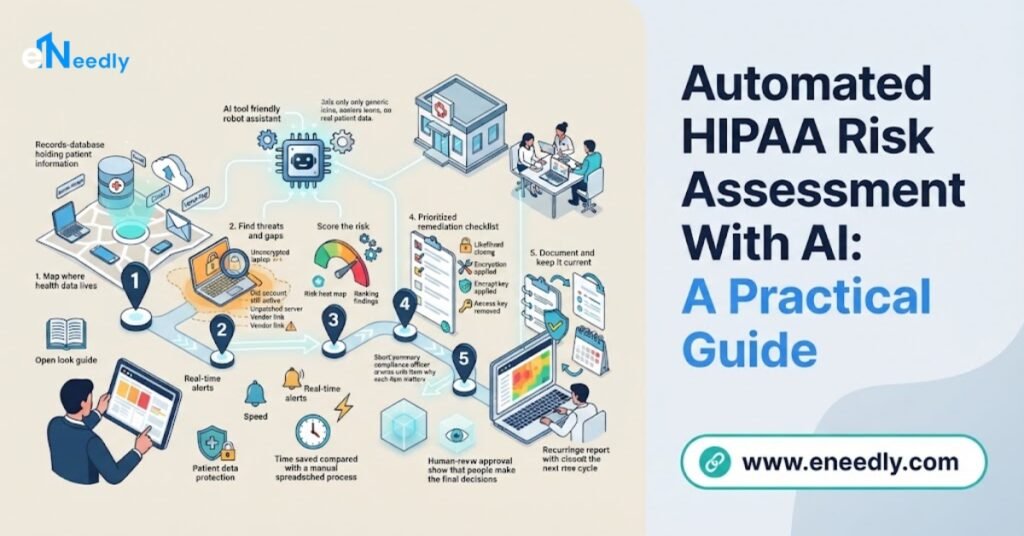
Automated HIPAA risk assessment with AI uses software to map where patient information lives, collect evidence, spot security gaps, score risks, and track fixes, so your team spends less time on spreadsheets and more time on real protection.
It supports your compliance work, but it does not guarantee compliance, and your people and advisers still make the final decisions. eNeedly builds these solutions around your own systems and processes, with careful handling of sensitive data.
If your organization handles patient information, you already know the weight of HIPAA. One of its core expectations is that you regularly look at where patient data is, what could go wrong, and how well it is protected. This is called a risk assessment.
For many teams, this is a heavy job. Information is spread across many systems, evidence sits in different places, and the whole process is repeated by hand, often under time pressure. That is why more organizations are exploring automated HIPAA risk assessment with AI.
In this guide, we explain what it is, how it works, what it can and cannot do, and how eNeedly can help you build a solution that fits your organization.
This guide is general information, not legal advice, so please speak with a qualified compliance professional about your own obligations.
What Is a HIPAA Risk Assessment?
A HIPAA risk assessment is a structured review of how your organization protects protected health information, which means patient details that must be kept private and secure. It looks at the whole picture, not just one system.
In simple terms, it answers a few key questions:
- Where is patient information? Which systems, devices, files, and vendors hold it or can reach it.
- What could go wrong? Threats such as unauthorized access, loss, theft, or accidental sharing.
- How likely and how serious? The chance and the impact of each possible problem.
- What protections exist today? The safeguards already in place, such as access controls and encryption.
- Where are the gaps? The places where protection is missing, weak, or out of date.
- What should be done next? A prioritized plan to reduce the biggest risks.
A good assessment is not a one-time event. Systems, staff, and vendors change, so the review needs to be repeated and kept current.
Why Is Manual HIPAA Risk Assessment So Hard?
Many organizations manage this with spreadsheets, shared documents, and long email chains. This can work for a small practice, but the problems grow with the organization.
- Scattered information: Systems, devices, and vendors are tracked in different lists that rarely match.
- Out-of-date inventories: New tools and accounts appear, and the list is not updated.
- Long questionnaires: Teams spend days answering and chasing answers.
- One-time reviews: The assessment is done once a year, so it is outdated within weeks.
- Inconsistent scoring: Different people rate the same risk differently.
- Hard-to-find evidence: Proof of safeguards is buried in emails and folders.
- Slow follow-up: Gaps are found, but fixes stall without clear owners and reminders.
- Time pressure: Staff who do this work also have other jobs, so it gets squeezed.
The result is stress, delays, and a picture of risk that may not reflect what is really happening. Automation helps with the repetitive parts.
What Does Automated HIPAA Risk Assessment With AI Mean?
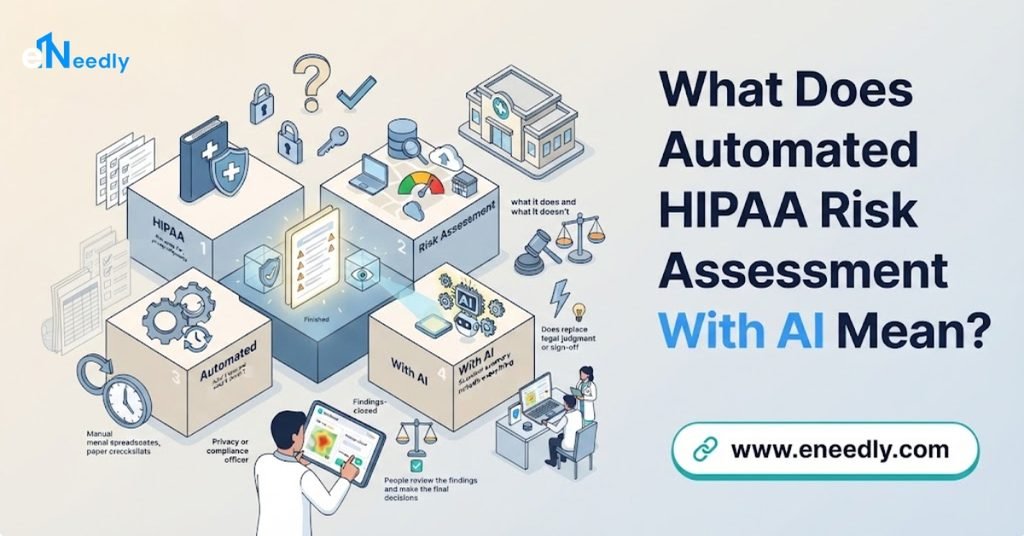
Automated HIPAA risk assessment means using software and AI to handle the repeatable work of gathering information, checking it, scoring risk, and tracking fixes. AI adds the ability to read documents, spot patterns, and keep the picture updated without starting from scratch each time.
It is important to be clear about what this means and does not mean.
What it does:
- Collects and organizes information about your systems and data.
- Check that information against the requirements and criteria you set.
- Flags gaps, unusual conditions, and missing evidence.
- Scores and ranks risks so you know where to start.
- Tracks fixes, owners, and deadlines.
- Produces clear records and reports.
What it does not do:
- It does not make your organization compliant by itself.
- It does not replace legal advice or the judgment of your compliance team.
- It does not remove the need for people to review and approve important decisions.
Think of it as a tireless assistant that prepares the work, while your people decide.
How Does Automated HIPAA Risk Assessment Work?
A strong solution follows a clear flow from discovery to reporting.
Map your environment. The system builds a list of the systems, applications, devices, and vendors that store or touch patient information.
Collect evidence. It gathers settings, access lists, policies, and records from your systems and your team.
Check against your criteria. Each item is compared with the safeguards and standards you have chosen to apply.
Find gaps. AI highlights missing protections, weak settings, unusual access, and missing documentation.
Score the risks. Each risk is rated by how likely and how serious it is, with reasons shown.
Assign fixes. Tasks are created, given owners and due dates, and tracked until complete.
Involve people. Reviewers confirm findings, add context, and approve decisions.
Record and report. Every step is saved, and reports are ready when you need them.
Repeat regularly. The process runs on a schedule, or continuously, so your picture stays fresh.
People stay involved at the points that need judgment. The system handles the gathering, sorting, and tracking.
Which HIPAA Risk Tasks Can AI Help Automate?
More than most teams expect. If a task follows a pattern, AI can usually help with all or part of it.
- System and data inventory: Keep an up-to-date list of where patient information is stored and who can reach it.
- Access reviews: Check who has access to what, and flag people with more access than they need.
- Settings checks: Look for weak or missing protections, such as unencrypted storage or outdated settings.
- Policy and document review: Read policies and records to confirm that required items exist and are current.
- Vendor and partner checks: Track agreements, collect information, and flag vendors that need attention.
- Questionnaires: Send, track, and chase staff and vendor responses automatically.
- Risk scoring: Rate risks consistently using your own criteria.
- Evidence tracking: Link each safeguard to the proof that it is in place.
- Task management: Assign fixes, send reminders, and show progress.
- Reporting: Produce summaries and detailed reports for leaders and reviewers.
At eNeedly, we start with the tasks that take the most time or cause the most worry, then expand from there.
How Does AI Find Gaps in Protected Health Information Safeguards?
AI is especially good at spotting patterns across large amounts of information. Here are examples of gaps it can help you find.
- Excess access: People or systems with far more access to patient data than their role needs.
- Old accounts: Access for former staff or unused accounts that was never removed.
- Unprotected data: Patient information stored without the protections your standards require.
- Open sharing: Files or folders shared more widely than intended.
- Missing records: Gaps in documentation, training records, or required reviews.
- Outdated settings: Systems that no longer meet your own security standards.
- Unusual activity: Access at odd times, large downloads, or sudden changes that do not fit normal behavior.
- Unknown systems: Tools or devices that touch patient data but are missing from your inventory.
Finding these early, and in a prioritized way, lets your team fix the most important issues first.
How Can AI Help You Manage Vendors and Business Associates?
Most healthcare organizations rely on outside partners, from software providers to billing services. Each one that handles patient information is part of your risk picture.
Automation helps by:
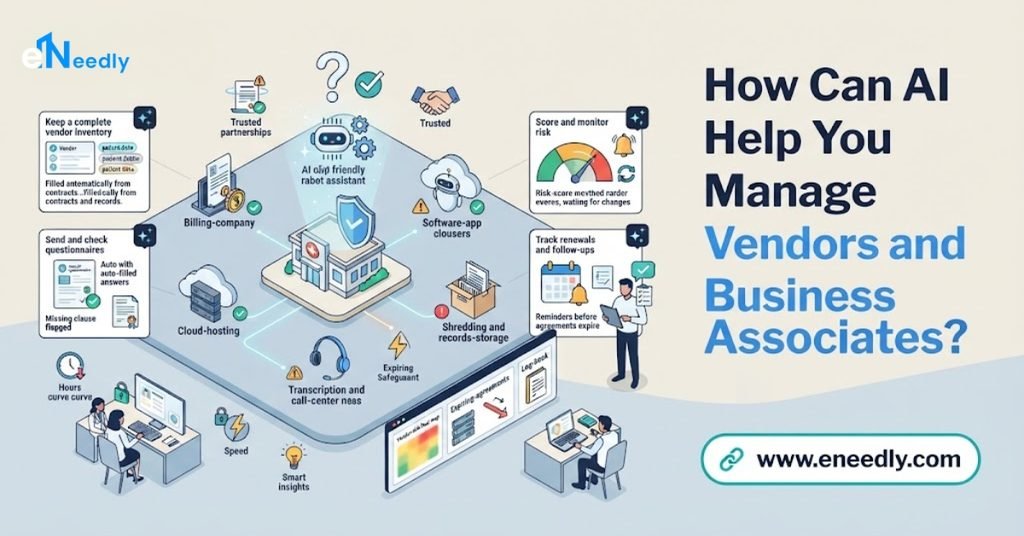
- Keeping a clear list: Every vendor that touches patient data is recorded with what they do and what they access.
- Tracking agreements: The system checks that the right agreements are in place and reminds you when they need renewal.
- Collecting information: Questionnaires and documents are sent and tracked automatically.
- Reading responses: AI reviews answers and documents and flags gaps or concerns.
- Ranking vendors by risk: Higher-risk vendors receive closer attention.
- Reminding you to review: Reviews happen on schedule, not only when someone remembers.
This turns vendor management from a scramble into a steady, organized process.
Can Automation Keep You Audit-Ready?
Being ready for an audit or review is not about a last-minute rush. It is about working in a way that creates evidence every day. Automation makes that natural.
- Continuous records: Findings, decisions, and fixes are recorded as they happen.
- Evidence linked to safeguards: Each protection is tied to the proof that it exists.
- Clear history: You can show what was found, who reviewed it, and how it was handled.
- Easy reports: Summaries can be produced in minutes, not weeks.
- Fewer surprises: Regular checks catch gaps before someone else does.
- Less stress: Your team spends less time hunting for documents.
When someone asks for proof, you can show an organized, complete trail instead of searching through emails and folders.
What Are the Risks and Limits of Using AI for HIPAA Risk Assessment?
AI is powerful, but it is not perfect. Knowing the limits helps you use it wisely.
- No guarantee of compliance: Software supports your work, but compliance depends on your overall program, your people, and your decisions.
- Wrong flags: AI may mark normal items as risky or miss something unusual. Tuning and review reduce this.
- Incomplete data: The system can only assess what it can see. If a system is missing from the inventory, it is missing from the assessment.
- Over-reliance: A tidy dashboard does not mean all risk is gone. Regular human review still matters.
- Protecting the tool itself: A system that gathers information about your safeguards needs strong protection, and any use of patient data must be designed carefully and kept to the minimum needed.
- Changing rules and guidance: Requirements evolve, so your criteria must be reviewed regularly with qualified advisers.
- Team resistance: People need clear communication and simple processes, or they will work around the new approach.
A well-designed solution uses as little sensitive data as possible, controls access tightly, keeps humans in the loop, and is reviewed regularly. eNeedly builds these principles into every project and works alongside your compliance team.
What Should You Look for in an Automated HIPAA Risk Assessment Solution?
There is no single best choice for every organization. The right solution is the one that fits your systems, your process, and your team. Use this checklist to judge any option.
- Your criteria, your control: You should be able to set the standards and rules the system checks against.
- Clear risk scoring: Every score should come with reasons that people can understand.
- Evidence tracking: Safeguards should be linked to the proof that they are in place.
- Strong security: The tool must protect the information it handles, with tight access control.
- Minimal use of sensitive data: It should avoid collecting patient information that it does not need.
- Fit with your systems: It should connect to the tools and platforms you actually use.
- Human review: There must be an easy way for your team to confirm, correct, and approve results.
- Complete history: Every finding and decision should be recorded and easy to report.
- Task tracking: Fixes should have owners, due dates, and reminders.
- Ongoing support: Systems and requirements change, so help should not end at launch.
If a solution cannot meet most of these points, keep looking.
Should You Buy Off-the-Shelf or Build a Custom Solution?
This is a key decision. Ready-made options can be a good starting point for simple needs. But as your organization grows, they often show their limits.
A ready-made option works best when:
- You are a smaller organization with a simple set of systems.
- Your process is standard.
- You do not need special workflows or reports.
A custom solution works best when:
- You have many systems, locations, or in-house tools.
- You have your own criteria, scoring methods, and approval steps.
- You need the process to connect with your existing ticketing, document, and identity systems.
- You need reports that match the way your leaders and reviewers work.
- You want tight control over how data is handled.
Many organizations find that a tailored setup saves more time in the long run, because it fits their process instead of forcing the process to fit the tool. eNeedly can help you decide which path makes sense, and we will tell you honestly if a simple option is enough.
How Do You Get Started Step by Step?
You do not need to automate everything at once. Follow these steps.
Map your patient data. Write down where patient information is created, stored, shared, and sent.
List your systems and vendors. Include everything that touches that data.
Set your criteria. Decide which safeguards and standards you will measure against, with your compliance adviser.
Choose one area to pilot. For example, access reviews or vendor tracking.
Run the pilot. Let the system gather information and flag gaps while your team reviews the results.
Fix and learn. Assign tasks, track completion, and adjust the rules.
Expand and repeat. Add more systems and areas, and set a regular schedule for reassessment.
This approach keeps risk low and shows results early.
Why Choose eNeedly for HIPAA Risk Assessment Automation
eNeedly is a digital solutions agency. We do not push a one-size-fits-all product. We study how your organization manages risk today and build a solution around your systems, your process, and your goals.
Here is what you can expect when you work with us:
- Plain language: We explain everything clearly, even if you are not technical.
- Business-first thinking: We start with your goals, such as clearer risk visibility and easier reviews, and work backward.
- Tailored solutions: Your system is built around your process, not a generic template.
- Honest advice: If a task is not worth automating, or if something needs your compliance adviser, we will tell you.
- Careful handling of sensitive data: We design solutions to use as little sensitive information as possible and to protect what they do use.
- Long-term partnership: We stay with you after launch to improve and expand what we build.
Our aim is simple: make risk assessment faster, clearer, and easier to keep up to date.
Our Automated Risk Assessment Services
eNeedly offers services that cover the full assessment journey, so you can start where it makes the most sense.
- Data and system mapping: We build tools that keep an up-to-date list of where sensitive information lives and who can reach it.
- Evidence collection: We gather settings, records, and documents automatically and link them to the safeguards they support.
- Gap detection: We build checks that flag weak settings, excess access, and missing records.
- Risk scoring: We design scoring around your own criteria, with clear reasons for every result.
- Vendor tracking: We organize vendor lists, agreements, questionnaires, and reviews.
- Remediation tasks: We create tasks with owners, deadlines, and reminders, and track them to completion.
- Review workflows: We set up simple screens where your team can confirm, correct, and approve findings.
- Reporting and dashboards: We give you clear views and reports for leaders and reviewers.
- System connections: We link the solution to the tools your team already uses.
- Custom solutions: If your process is unique, we design something that fits it exactly.
Each service is built to solve a specific problem, and we only recommend what fits your organization.
Our Step-by-Step Implementation Process
Our process is simple, transparent, and built to keep you informed.
Discovery call: We learn about your organization, your systems, and how risk assessments are done today.
Opportunity map: We list the tasks that can be automated and rank them by impact and effort.
Plan and quote: You receive a clear plan, timeline, and price before any work begins.
Build: We create your solution and connect it to your systems, with sensitive data kept to a minimum.
Testing: We test it on real examples and set review points for your team.
Launch and training: We go live and show your team how everything works.
Support and improvement: We monitor results, tune the system, and suggest new ways to save time.
You are involved at every stage, and nothing goes live without your approval.
Get Started With eNeedly Today
Starting is easier than most people think. You do not need technical knowledge, a long brief, or a perfect plan. You only need to tell us how risk assessments work in your organization today and where they cause the most pain.
In a free consultation, we will listen to how your team works, point out where automation can help most, and explain what a first project could look like. There is no pressure and no obligation.
Ready to make HIPAA risk assessment faster and easier to manage? Book your free consultation with eNeedly today and see what automation with AI can do for your organization.
Frequently Asked Questions
What is a HIPAA risk assessment?
A HIPAA risk assessment is a structured review of where your organization holds patient information, what could threaten it, how likely and serious those threats are, and how well your safeguards protect it. The result is a prioritized plan to reduce the biggest risks.
How often should a HIPAA risk assessment be done?
It should be repeated regularly and whenever something important changes, such as new systems, new vendors, or new ways of handling data. Your compliance adviser can tell you the right schedule for your organization. Automation makes frequent updates much easier, because most of the gathering is handled for you.
Can AI complete a HIPAA risk assessment for me?
AI can do much of the preparation, such as collecting information, checking it against your criteria, flagging gaps, and tracking fixes. But your people must review the findings, add context, and make the decisions. AI supports the work, and it does not replace your team or your advisers.
Does automated risk assessment make my organization HIPAA compliant?
No. Software can make your work faster and better organized, but compliance depends on your full program, including policies, training, safeguards, and day-to-day behavior. Please work with a qualified compliance professional on your specific obligations.
Is it safe to use AI with protected health information?
It depends on how the solution is designed. A careful approach uses as little sensitive data as possible, limits access tightly, protects what it handles, and follows the agreements and requirements that apply to your organization. eNeedly works with your compliance team to design solutions with these principles in mind.
How much does an automated HIPAA risk assessment solution cost?
The cost depends on the number of systems and vendors, the complexity of your criteria, the level of reporting you need, and how much ongoing support you want. Starting with one area keeps the investment manageable. eNeedly provides a clear plan and quote after your free consultation.
Can the solution connect to my existing systems?
In most cases, yes. A well-built solution is designed to connect with the tools you already use, so your team does not have to start over. We review your current setup during discovery and plan the connections before any work begins.
How long does it take to set up automated HIPAA risk assessment?
A focused first project, such as access reviews or vendor tracking, can often be ready in a matter of weeks. Larger projects with many systems and custom reports are best delivered in phases, so you see benefits early and keep gaining more as each part goes live.