
Quick Answer
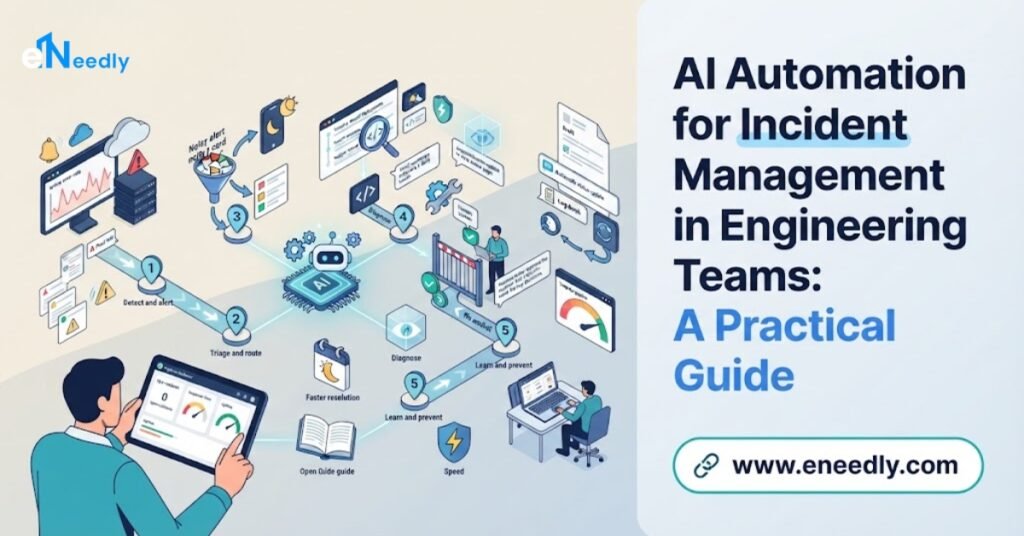
Incident Management Automation helps engineering teams detect problems sooner, cut through alert noise, send each issue to the right person, gather the details they need, keep everyone informed, and learn from every incident.
It handles the repetitive, time-pressured work so engineers can focus on fixing the real problem. eNeedly designs and builds these solutions around your own tools and processes, with your team always in control of important decisions.
When a service goes down, every minute counts. Customers are affected, the business is losing trust, and engineers are scrambling to understand what happened.
In the middle of this pressure, teams often waste precious time on tasks that have nothing to do with the actual fix: sorting through alerts, finding the right person, searching old notes, and writing updates.
This is why more engineering leaders are looking at AI automation for incident management. In this guide, we explain how it works, which tasks it can handle, what to look for, and how eNeedly can help you build a solution that fits your team.
What Is Incident Management Automation in Engineering Teams?
Incident management is the way a team deals with unexpected problems that affect its systems, services, or customers. It covers everything from the first warning to the final lesson learned.
A typical incident follows these stages:
- Detection: Something signals that a problem exists, such as an alert, a customer report, or a failed check.
- Triage: The team decides how serious it is and who should handle it.
- Response: Engineers investigate, find the cause, and apply a fix or workaround.
- Communication: Stakeholders and customers are told what is happening.
- Resolution: The service returns to normal.
- Review: The team looks back at what happened and how to prevent it next time.
Each stage involves a lot of manual work, and much of it must happen quickly, often at the worst possible time.
Why Is Incident Management Automation So Hard to Do Well?
Even strong engineering teams struggle with incidents. The reasons are common, and they tend to grow as systems become more complex.
- Alert overload: Systems produce huge numbers of alerts, and many are duplicates or false alarms. Real problems get buried.
- Slow triage: Someone has to read the alert, judge its seriousness, and find the right owner.
- Scattered information: Logs, dashboards, past incidents, and documentation all live in different places.
- Manual coordination: Setting up a channel, paging people, and updating status pages eats time.
- Repeated problems: The same issues return because lessons from past incidents are not easy to find or apply.
- Constant interruptions: Engineers on call get woken up for issues that did not need a human.
- Burnout: Noisy nights and stressful responses wear teams down over time.
- Inconsistent reviews: Post-incident write-ups are slow to produce, so they are rushed or skipped.
The result is slower recovery, more stress, and less time for the engineering work that moves your product forward.
How Does AI Automation Help With Incident Management?
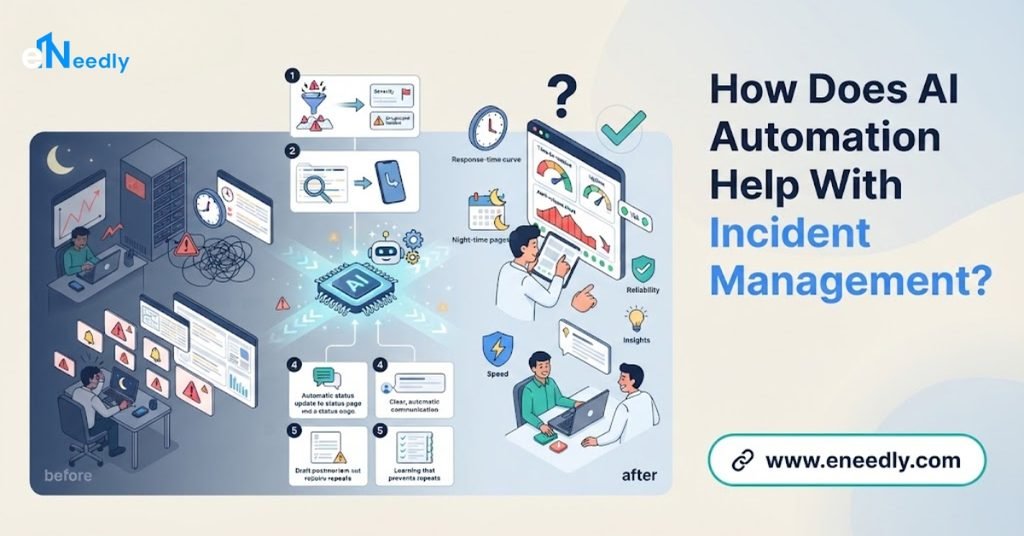
AI is well suited to this kind of work. It can read large amounts of information quickly, spot patterns, follow rules consistently, and act at any hour without getting tired.
Here is what AI automation can do across the incident lifecycle:
- Reduce noise: Group related alerts together and filter out duplicates and known harmless signals.
- Judge severity: Estimate how serious an incident is based on what is affected and how many users are impacted.
- Route to the right person: Match the problem to the right team or on-call engineer.
- Gather context: Pull together recent changes, related logs, similar past incidents, and relevant documentation.
- Suggest next steps: Offer likely causes and proven fixes from your own history.
- Handle the routine: Create the incident channel, invite the right people, and start the timeline.
- Keep people informed: Draft status updates for stakeholders and customers.
- Capture the story: Record what happened and prepare the first draft of the review.
The goal is not to replace engineers. It is to give them back the minutes and the focus they need to solve the real problem.
Which Incident Management Tasks Can Be Automated?
More than most teams expect. If a task follows a pattern, it can usually be automated in full or in part.
- Alert grouping and deduplication: Combine many related alerts into one clear incident.
- Severity scoring: Rank incidents by impact so urgent ones are handled first.
- Ownership matching: Find the right team based on the service, the error, and past incidents.
- Paging and escalation: Notify the right person, and escalate if there is no response.
- Incident setup: Open a shared channel, create a ticket, and start a timeline automatically.
- Context gathering: Collect recent deployments, configuration changes, and related errors.
- Similar incident search: Find past incidents that look alike and show how they were fixed.
- Status updates: Draft clear updates at regular intervals for internal and external audiences.
- Routine fixes: Run safe, pre-approved actions, such as restarting a stuck service.
- Review drafting: Build a first version of the post-incident summary from the recorded timeline.
- Follow-up tracking: Turn lessons into tasks and track that they get done.
At eNeedly, we start with the tasks that cost your team the most time or sleep, then expand from there.
How Can AI Cut Alert Noise and Fatigue?
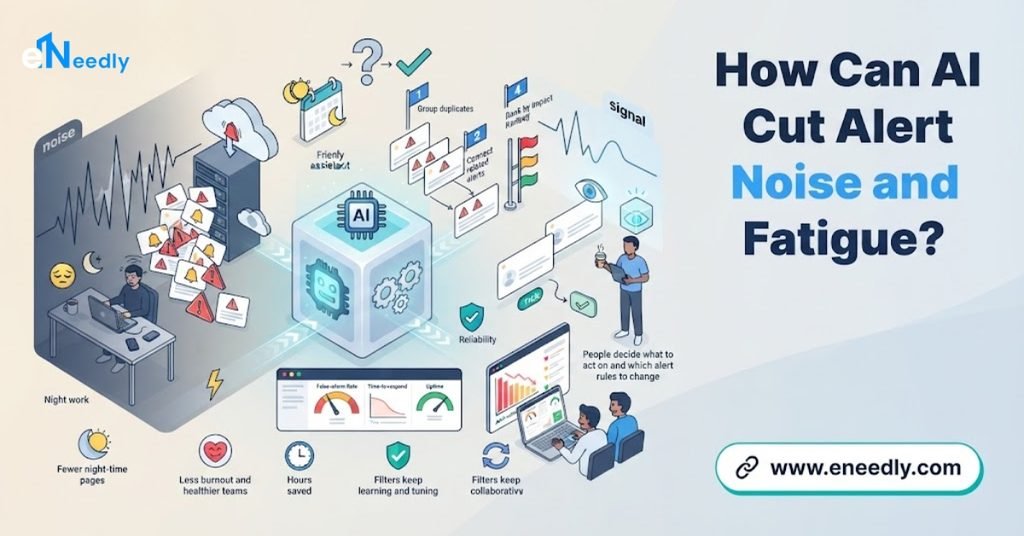
Alert fatigue is one of the biggest problems in engineering operations. When people receive too many alerts, they start to ignore them, and that is when serious issues get missed.
AI helps in several ways:
- Grouping: Dozens of alerts caused by one underlying problem become a single incident.
- Deduplication: Repeated alerts for the same condition are merged.
- Learning what is normal: The system recognizes patterns that are harmless, such as a known spike during a scheduled job.
- Prioritizing: Alerts that match serious patterns rise to the top.
- Suppression with care: Low-value alerts can be delayed or summarized, with clear rules about what must never be hidden.
The outcome is a calmer on-call experience, where an alert usually means something worth looking at.
How Does AI Speed Up Triage and Routing?
Triage is the moment where time is often lost. Someone must work out what is wrong, how bad it is, and who should fix it. In a large organization, simply finding the right owner can take longer than the fix itself.
An automated system can do this in seconds:
- Read the incoming signal: It looks at the alert, the affected service, and the error.
- Compare with history: It checks whether this looks like a known issue.
- Estimate the impact: It considers which customers or systems are affected.
- Choose the severity: It assigns a level based on your own rules.
- Find the owner: It matches the problem to the right team or person.
- Notify and escalate: It pages the right people and escalates if nobody responds.
Engineers receive a clear starting point instead of a vague alert.
Can AI Help Engineers Find Root Causes Faster?
Yes, as a support tool. AI cannot replace the judgment of an experienced engineer, but it can save a lot of searching.
Here is how it helps during investigation:
- Recent changes: It shows what was deployed or changed just before the problem began.
- Related signals: It points to other errors or slowdowns that happened at the same time.
- Similar past incidents: It surfaces earlier cases with matching symptoms and how they were resolved.
- Relevant guidance: It pulls up the right runbooks and documentation for the situation.
- Suggested hypotheses: It offers likely causes for the team to check, with reasons.
The engineer stays in charge, weighing the suggestions and deciding what to do. The AI simply makes sure the right information is in front of them quickly.
How Does Automation Improve Incident Communication?
During an incident, communication is often the first thing to slip. Engineers are busy fixing, and updates fall behind. Stakeholders then interrupt for information, which slows the work even more.
Automation can keep communication steady:
- Regular updates: The system prompts for updates and drafts them from the latest facts.
- Right audience, right level: Technical details go to engineers, and plain summaries go to leaders and customer teams.
- Consistent format: Every update covers what is affected, what is being done, and what happens next.
- Status page support: Drafts for public notices are prepared for a person to approve.
- A shared timeline: Key events are recorded automatically as the incident unfolds.
People stay informed without constantly asking, and engineers stay focused on the problem.
How Does AI Make Post-Incident Reviews Easier?
Learning from incidents is how teams get better, but writing reviews takes time that busy teams rarely have. As a result, lessons are lost and problems repeat.
Automation makes reviews practical:
- Complete timelines: Events, messages, and actions are recorded as they happen.
- First drafts: The system prepares a summary of what happened, the impact, and how it was fixed.
- Pattern spotting: It highlights repeated causes across incidents and shows where to invest.
- Action tracking: Follow-up tasks are created, assigned, and tracked until they are done.
- A searchable history: Past incidents become easy to find, so new responders benefit from old lessons.
The team still decides what the real lessons are. Automation removes the paperwork so the discussion can focus on improvement.
How Do You Keep Humans in Control?
Incidents are high-stakes. Automation should be helpful and safe, not risky. The best setups keep engineers firmly in charge where it matters.
- Match the action to the risk. Safe, well-understood actions can run automatically. Anything that could cause harm should wait for approval.
- Start with suggestions. Let the system recommend first, and automate later as trust grows.
- Set clear limits. Decide in advance what the system may and may not do on its own.
- Keep a person accountable. Every incident has a named owner who makes the key decisions.
- Make actions reversible. Where possible, automatic fixes should be easy to undo.
- Record everything. Every action is logged with the reason behind it.
- Review regularly. Check how the automation performs and adjust it.
This balance keeps response fast without making it reckless.
What Should You Look for in an Incident Automation Solution?
There is no single best approach for every team. The right choice is the one that fits your systems, your process, and your people. Use this checklist.
- Fit with your tools: It should connect with your monitoring, messaging, ticketing, and deployment systems.
- Noise reduction that works: It should group and filter alerts without hiding real problems.
- Accurate routing: It should find the right owner reliably, and learn from corrections.
- Helpful context: It should bring useful information together, not add more clutter.
- Explainable suggestions: Engineers should see why the system suggests something.
- Controlled automation: You should decide which actions are automatic, which need approval, and which are only suggestions.
- Complete records: Every event and action should be logged for review.
- Security: The system will see sensitive operational data, so access must be tightly controlled.
- Easy to adjust: Rules and runbooks change, so updates should be simple.
- Ongoing support: Systems evolve, and help should not end at launch.
If a solution cannot meet most of these points, keep looking.
How Do You Measure Success?
Good incident automation should show up in your numbers. Track a few simple signals.
- Time to acknowledge: How quickly does someone pick up a new incident?
- Time to resolve: How long from detection to recovery?
- Alert volume: How many alerts reach a human, and how many of them are real?
- Wrong-team pages: How often does an incident go to the wrong person first?
- Repeat incidents: Are the same problems returning less often?
- Review completion: Are post-incident reviews finished and their actions closed?
- Team wellbeing: Do on-call engineers feel less overloaded?
Review these regularly, and use them to tune your automation.
What Are the Risks and Limits of AI in Incident Management?
AI is powerful, but it is not perfect. Knowing the limits helps you plan well.
- Wrong suggestions: AI can point toward the wrong cause. Engineers should treat suggestions as leads, not facts.
- Over-suppression: Filtering too aggressively might hide a real problem. Clear rules about what is never suppressed are essential.
- Risky automatic actions: A fix that runs at the wrong time can make things worse. Keep strict limits and approvals.
- Poor data: If ownership information and runbooks are out of date, results suffer.
- Over-reliance: Teams must keep their own skills and judgment, especially for new kinds of failures.
- Security: The system holds sensitive operational information and must be protected carefully.
- Change fatigue: Teams need clear communication and simple tools, or they will work around the new process.
A well-designed solution starts small, uses suggestions before automatic actions, keeps humans in the loop for risky steps, and improves through regular review. eNeedly builds all of this in from the start.
Should You Buy Off-the-Shelf or Build a Custom Solution?
This is a key decision. Ready-made options can be a good starting point for simple needs. But as your systems and team grow, they often show their limits.
A ready-made option works best when:
- Your tools and processes are common and standard.
- Your team is small and your incident volume is modest.
- You do not need special routing, runbooks, or reports.
A custom solution works best when:
- You have many services, teams, and unusual or in-house systems.
- You have your own severity rules, escalation paths, and approval steps.
- You want the automation to work inside the tools your engineers already use.
- You need ownership and runbook knowledge to be built into the solution.
- You want one connected process instead of several separate tools.
Many teams find that a tailored setup saves more time in the long run, because it fits their way of working instead of forcing them to adapt. eNeedly can help you decide which path makes sense, and we will tell you honestly if a simple option is enough.
How Do You Get Started Step by Step?
You do not need to automate everything at once. Follow these steps.
Review your recent incidents. Look at what took the most time, and where people were frustrated.
Find the biggest time drains. Common ones are noisy alerts, slow routing, and manual updates.
Clean up your basics. Make sure service ownership, on-call schedules, and runbooks are current.
Pick one problem. For example, alert grouping or automatic incident setup.
Start in suggestion mode. Let the system recommend actions while people stay in control.
Measure and learn. Track your results, gather feedback, and adjust.
Expand step by step. Add more automation as trust grows.
This approach keeps risk low and shows results early.
Why Choose eNeedly for Incident Management Automation
eNeedly is a digital solutions agency. We do not push a one-size-fits-all product. We study how your engineering team handles incidents today and build a solution around your systems, your process, and your goals.
Here is what you can expect when you work with us:
- Plain language: We explain everything clearly, even to people outside engineering.
- Team-first thinking: We start with your goals, such as faster recovery and calmer on-call shifts, and work backward.
- Tailored solutions: Your system is built around your tools and your way of working, not a generic template.
- Honest advice: If a task is not worth automating, we will tell you.
- Safety and control: Your engineers stay in charge of important decisions, and risky actions always have limits.
- Long-term partnership: We stay with you after launch to improve and expand what we build.
Our aim is simple: help your team respond faster, sleep better, and learn from every incident.
Our Incident Management Automation Services
eNeedly offers services that cover the full incident lifecycle, so you can start where it makes the most sense.
- Alert grouping and noise reduction: We build systems that combine related alerts and filter out the noise.
- Severity scoring and triage: We design rules and AI checks that rank incidents by real impact.
- Ownership matching and paging: We make sure the right person is notified, with clear escalation paths.
- Automatic incident setup: We create channels, tickets, and timelines the moment an incident begins.
- Context gathering: We bring recent changes, related signals, and similar past incidents into one view.
- Runbook assistance: We connect your runbooks so the right guidance appears at the right time.
- Safe automated actions: We set up pre-approved fixes for routine problems, with limits and logging.
- Status update drafting: We prepare clear updates for internal teams and customers for your approval.
- Post-incident review support: We produce timelines and first drafts, and track follow-up actions.
- Dashboards and reporting: We show response times, alert quality, and recurring causes.
- Custom solutions: If your process is unique, we design something that fits it exactly.
Each service is built to solve a specific problem, and we only recommend what fits your team.
Our Step-by-Step Implementation Process
Our process is simple, transparent, and built to keep you informed.
Discovery call: We learn about your team, your systems, and how incidents are handled today.
Opportunity map: We list the tasks that can be automated and rank them by impact and effort.
Plan and quote: You receive a clear plan, timeline, and price before any work begins.
Build: We create your solution and connect it to the tools your team already uses.
Testing: We test it on real past incidents and set review points for your engineers.
Launch and training: We go live and show your team how everything works.
Support and improvement: We monitor results, tune the system, and suggest new ways to save time.
You are involved at every stage, and nothing goes live without your approval.
Results You Can Expect From eNeedly
Every team is different, but the goals of incident automation are consistent. When we work with you, we aim for results like these:
- Faster response: Less time between the first signal and the right person looking at it.
- Less noise: Fewer pointless alerts and fewer interrupted nights.
- Quicker recovery: Engineers start with context and spend less time searching.
- Clearer communication: Stakeholders stay informed without pulling engineers away.
- Better learning: Reviews that are completed, with actions that are tracked.
- A healthier team: A calmer on-call experience and more time for planned engineering work.
We agree on clear goals at the start, so you know exactly how to measure success.
Get Started With eNeedly Today
Starting is easier than most people think. You do not need a long brief or a perfect plan. You only need to tell us which parts of incident response cost your team the most time or sleep.
In a free consultation, we will listen to how your team works, point out where automation can help most, and explain what a first project could look like. There is no pressure and no obligation.
Ready to respond to incidents faster and with less stress? Book your free consultation with eNeedly today and see what AI automation for incident management can do for your engineering team.
Frequently Asked Questions
What is AI automation for incident management?
It is the use of AI and automation to handle the repetitive parts of responding to incidents, such as grouping alerts, judging severity, finding the right owner, gathering context, drafting updates, and preparing reviews. Engineers stay in charge of diagnosis and key decisions.
How does AI reduce alert fatigue?
AI groups related alerts into one incident, merges duplicates, learns which patterns are harmless, and ranks alerts by impact. As a result, fewer alerts reach a human, and the ones that do are more likely to need attention. Clear rules ensure that critical signals are never hidden.
Can AI find the root cause of an incident?
It can help, but it should not be treated as the final answer. AI can show recent changes, related errors, similar past incidents, and likely causes, which saves a lot of searching. Engineers still judge the evidence and decide what to do.
Is it safe to let automation take action during an incident?
It can be, if it is designed with care. Safe, well-understood actions can run automatically, while risky ones require approval. Every action should be logged, limited, and easy to reverse. A good approach is to start with suggestions and add automatic actions as trust grows.
Will AI replace on-call engineers?
No. Incidents need human judgment, creativity, and responsibility. Automation takes over the routine work so engineers can focus on diagnosis and fixes, and so fewer people are woken up for problems that did not need them.
How much does incident management automation cost?
The cost depends on the number of systems to connect, the complexity of your rules, the level of automation you want, and the ongoing support you need. Starting with one high-impact problem keeps the investment manageable. eNeedly provides a clear plan and quote after your free consultation.
Can the solution work with our existing tools?
In most cases, yes. A well-built solution is designed to connect with the monitoring, messaging, ticketing, and deployment tools you already use, so your team does not have to start over. We review your setup during discovery and plan the connections before any work begins.
How long does it take to set up incident automation?
A focused first project, such as alert grouping or automatic incident setup, can often be ready in a matter of weeks. Larger projects that cover the full incident lifecycle are best delivered in phases, so you see benefits early and keep gaining more as each part goes live.