
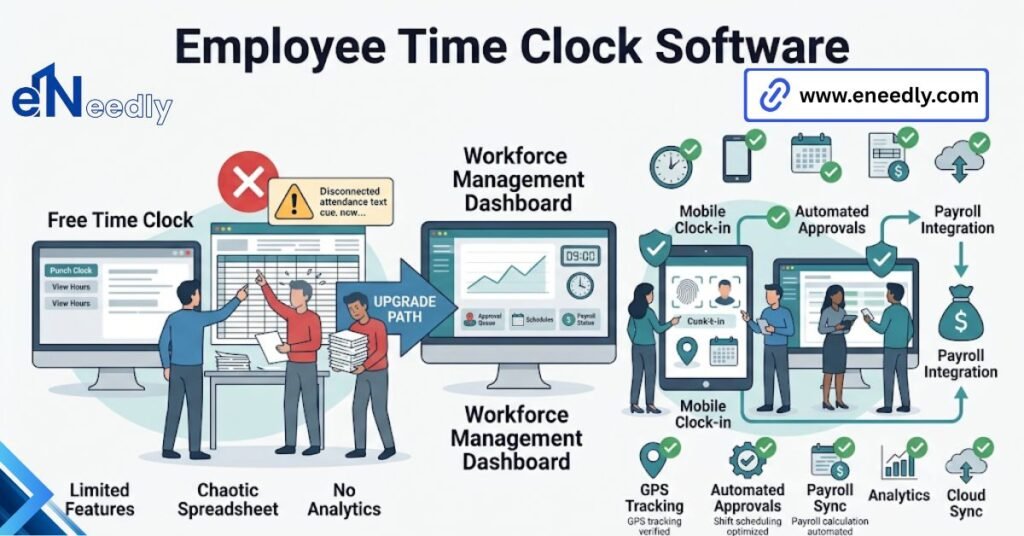
Employee time clock software is a tool that records when hourly staff clock in and out, then turns those punches into timecards for payroll. Staff punch from a phone, browser, or shared tablet, and the software applies rounding and overtime rules automatically.
Businesses use it to cut payroll errors and stop rebuilding hours from memory.
The question you are actually asking
You are not asking which employee time clock software is best. You are asking whether the free one will do and, if not, exactly what you get for the money. Fair question.
Here is the honest answer: for a real set of businesses, the free tier is genuinely enough, and it stays enough for years. For everyone else, it works right up until a specific week, and then it does not. Knowing which of those two you are is the whole decision. Everything else is preference.
What every free tier does well
Punching. All of it. Every product in this category, paid or free, records a clock-in accurately from a phone, a browser tab, or a tablet screwed to the wall near the door. Basic totals, too. Hours per person per week, visible on a screen, without anyone adding anything up.
If your need stops there, stop shopping. Genuinely. A small team with one shift pattern and salaried staff does not need this software at all, and any agency that tells you otherwise is selling rather than advising.
The four lines that end the free tier
The first is the user cap. Almost nobody switches time clock software because the tool is bad. They switched because they crossed the free tier’s user cap mid-quarter and had to decide in a week rather than a month.
The second is the export. Free tiers are usually free on the punching and paid on the reporting, so the thing that costs money is the export you need on the day payroll runs, not the feature you tested in the demo.
The third is approval. The moment a manager needs to review and sign off on hours before payroll, rather than just looking at them, you are in paid territory. The fourth is rules. Overtime thresholds, shift differentials, break deductions, rounding.
Free tiers apply to one simple set. Your business probably has three. Cross one line, and you can usually wait. Cross two, and you are already paying the cost somewhere, just in someone’s Thursday evening instead of on an invoice.
Online time clock, digital time clock, or punch clock software: does the name mean anything?
Barely. An online time clock, a digital time clock, and punch clock software describe the same category of product, and vendors pick whichever phrase their customers search for. There is one soft distinction worth knowing.
Punch clock software tends to describe the simpler end, focused on in and out with minimal scheduling attached, and it is often the term used by products replacing a physical machine on a wall. Do not read capability into the name. Read it off the feature list.
What the software is really doing between punches
Between the clock-in and the payroll export sits the part nobody demos: the software is applying your rules to raw timestamps, and those rules decide what people get paid. A punch at 8:57 becomes 9:00 or stays 8:57, depending on a setting somebody chose once.
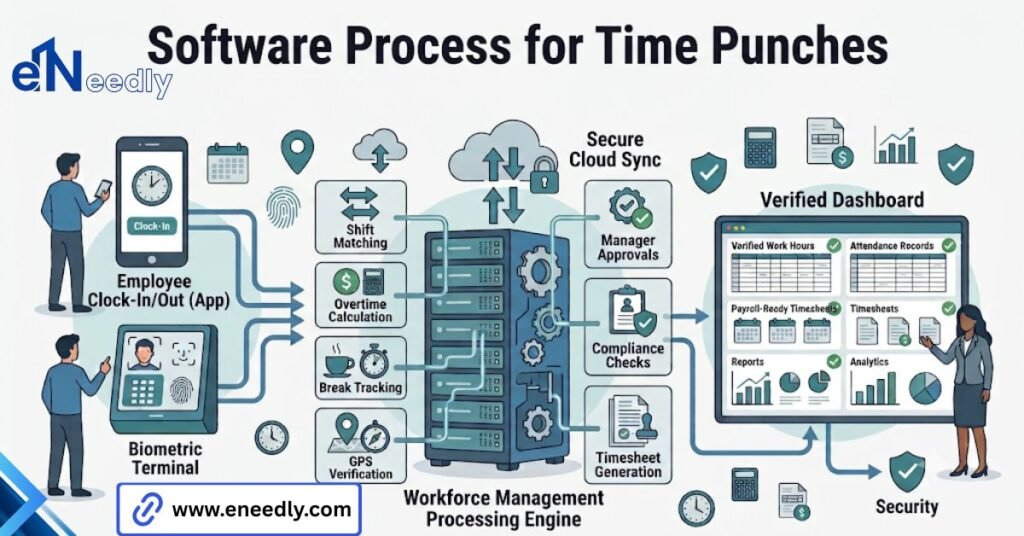
Multiply that by every employee, every day, all year. That setting is worth more of your attention than the interface is.
Rounding rules, and why yours are probably wrong
Rounding rules get copied from whatever the previous system did, without anyone checking whether the previous system was doing it correctly.
That is how a business ends up rounding every punch down to the nearest quarter hour, which quietly shaves unpaid minutes off every shift and creates a liability that sits there for years. Ask the vendor to show you the rounding configuration screen. Not a slide about it. The screen.
Then have someone check the setting against the rules you actually operate under, because the software will happily do the wrong thing consistently and produce clean reports while it does.
Overtime is a calendar problem, not a math problem
Calculating overtime is arithmetic. Knowing which hours count is not. Does your week start on Monday or Sunday? Does overtime accrue daily, weekly, or both? What happens to a shift that starts Sunday night and ends Monday morning?
Most products let you configure this. Most buyers never check it, discover the default was wrong in month three, and then argue with hourly employees about back pay. Configure it on day one. It takes twenty minutes.
Automatic break deductions are the quietest way to pay people wrongly
Most products offer a setting that removes a fixed break from any shift over a certain length, whether or not the employee took it. It is switched on by default more often than it should be. The logic is convenient, and the outcome is a guess.
A worker who stayed on the floor through lunch loses thirty minutes of pay, and nothing in the system records that anything happened. Either require staff to punch out for breaks or accept the deduction and give managers a simple way to reverse it, which is a process. Both work.
Choosing neither, and leaving the default running unexamined, is how a business accumulates a quiet backlog of underpayment it cannot reconstruct later. Check that setting this week, whatever you end up buying.
Where eNeedly comes in
eneedly get called at two moments, and the second one is expensive. The first is before the decision, when someone wants a straight answer on whether they need paid software at all. That conversation sometimes ends with us saying no.
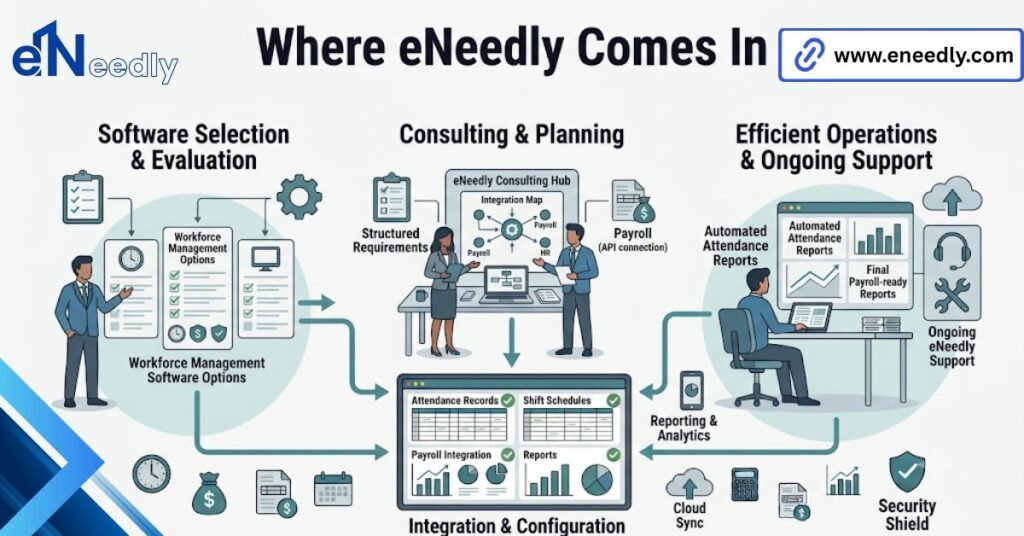
Over 8+ years, that has cost us work and kept us clients. The second is eighteen months later, when a business is trying to leave a product it chose badly.
Switching is where the real cost sits: historical timecards do not port cleanly, approval trails rarely port at all, and payroll needs a continuous record across the changeover.
Our job on those projects is to make the migration boring. Export the history properly, rebuild the rules correctly rather than copying the broken ones across, and reconcile the first two payroll runs before anyone notices a gap.
When your shift patterns are genuinely stranger than the market’s products allow, and in manufacturing and hospitality they often are, we build the layer that handles it instead of forcing your operation to bend around a dropdown menu.
Five questions that decide it
Ask these in the demo, in this order. The order matters because the first two disqualify most products faster than any feature comparison will. Bring whoever runs your payroll to the call. Not optional.
- Show me the timecard edit screen. Buyers evaluate the clock-in screen, which every product gets right, and never open the timecard edit screen, which is where their managers will spend actual time.
- What does the payroll export look like, exactly? Ask for a real sample file, not a screenshot. Hand it to your payroll person during the call. If they have to reformat it, you have bought a monthly manual task.
- What is on the free tier, and what is the first thing I hit? Get the user cap, the report limits, and the approval limits in writing. Then compare that against your headcount plan for next year, not today.
- Who can edit a punch, and where is that logged? An edit with no audit trail is a hole in your payroll record. Ask whether an employee can edit their own, and whether the original value survives the edit.
- What happens when the phone has no signal? Sites with bad reception exist. Ask whether the app queues the punch locally and syncs later, or simply refuses. Both behaviours ship in this market.
If a vendor is slow on question two, that tells you more than their pricing page does.
Best employee time clock software for small business: what small actually means here
Small is not a headcount. Two businesses with fifteen staff can need completely different products, and the variable is not size. The variable is variety. Fifteen people on one shift pattern, one pay rate, one location, is simple regardless of what the number says.
Fifteen people across three sites on rotating shifts with two pay rates is not small in any sense that the software cares about. So when you search for the best employee time clock software for small business, translate the question. You are really asking: how much variety does my payroll contain?
Count your distinct shift patterns. That number, not your headcount, tells you which tier you belong in. If the count is high, you are shopping in the wider category covered in our guide to cloud-based time and attendance management software.
Hourly employees, salaried staff, and the mistake of one system for both
Most businesses buy one system for everyone because it feels tidy. It is usually the wrong call.
Salaried staff do not need punches. Putting them on a clock creates data nobody uses, a compliance conversation nobody wanted, and a low-grade resentment that shows up in the exit interview rather than in the software.
Track hourly employees properly. Track salaried staff on leave and absence only. Two different needs, and pretending they are one need, is how you end up paying per user for people whose hours you were never going to check.
What it costs, and what changes at scale
Pricing in this category is almost universally per user per month, with a floor. That structure has an obvious consequence people still miss: a 9-person team and a 90-person team are not on the same curve, and the per-user number that looks trivial at 9 becomes your third-largest software line at 90.
What actually moves the bill is rarely the punching. It is approval workflows, custom reports, integrations, and support tiers.
Watch the floor especially. Many products bill a minimum of ten or fifteen users regardless of headcount, so a team of six pays for fifteen, and the effective per-person cost is double the advertised one.
Watch seasonal headcount too. If you take on staff for a busy period, ask whether the plan flexes down again afterwards or whether you are locked at your peak number for the year. Annual contracts frequently do the second thing, and nobody mentions it.
Budget for the second year, not the first. Free tiers and introductory discounts both expire, and the migration cost of leaving is real enough that you should assume you are staying.
If you want an outside read on the quote in front of you, or a straight answer on whether the free app will hold for another year, our consultation is free, and we do not resell any of these products.
Frequently Asked Questions
Is a free employee time clock app good enough for a real business?
Often yes. If you have one shift pattern, one location, and no manager approval step, a free tier will serve you indefinitely. The moment payroll needs sign-off on hours, you have outgrown it.
Can employees clock in from their phones, and should they?
Yes, and for field or multi-site teams, it is the only sensible option. Most products offer GPS stamping alongside them. Whether you enable location tracking is a management decision, not a technical one, and staff will notice either way.
Should salaried employees be on time clock software?
Usually not. They do not need punches, and tracking them creates data nobody uses, plus a conversation nobody enjoys. Put salaried staff on leave and absence tracking instead.
Who is allowed to edit a timecard?
That depends on the product, and it is worth asking early. In a well-configured setup, a manager edits, and the system keeps the original value with a reason attached. Employees editing their own punches without a trail is a genuine problem.
What happens if the internet drops during a shift?
Better apps queue the punch on the device and sync when the connection returns. Some simply refuse to record. Ask specifically, because both behaviours are common and the answer is rarely on the pricing page.
How hard is it to switch time clock software mid-year?
Harder than switching at year-end, and this is the main argument for choosing carefully now. Historical timecards rarely port cleanly, and approval trails usually do not port at all. Plan the changeover around a pay period boundary.
Is a spreadsheet ever acceptable for tracking hours?
For a handful of salaried staff, yes. For hourly employees, no. A spreadsheet has no audit trail, which means it cannot prove anything if a wage dispute lands on your desk.