
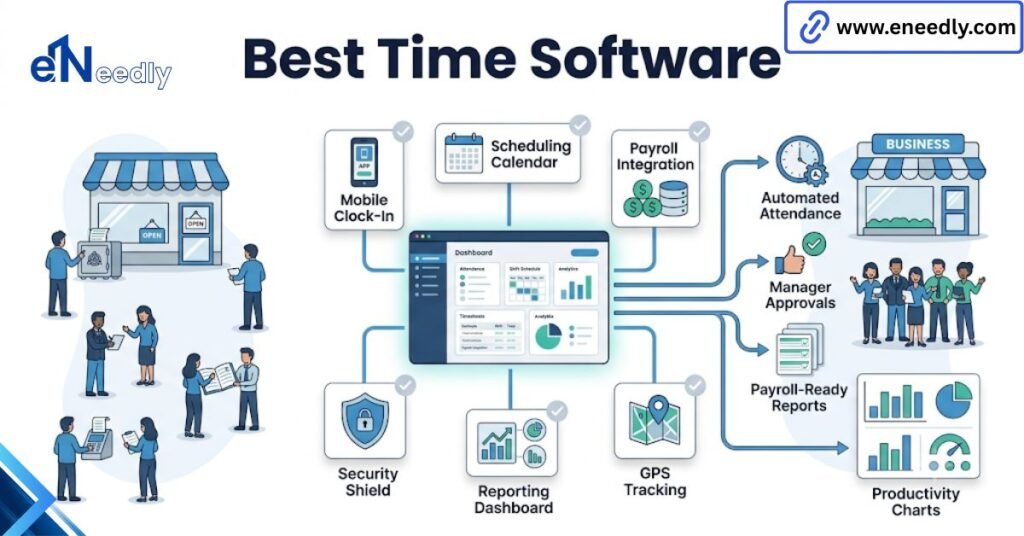
The best time and attendance software for a small business is the system that a non-technical manager can run daily without support, not the one with the longest feature list.
Small teams win on ease of use, fast setup, and a clean payroll export. Price matters less than the hours you spend keeping it running.
Sunday, 7 pm, and a shoebox of timesheets
It is Sunday evening. Payroll runs on Tuesday. You are at the kitchen table with a stack of paper, three of them illegible, one of them missing, and a WhatsApp thread where a supervisor sent someone’s hours as a voice note.
You have done this forty times. You will do it again next week unless something changes.
That scene is what you are buying your way out of, and it is worth naming plainly. The moment you search for the best time and attendance software for a small business, the conversation turns into feature grids, and you forget what the actual problem was.
The problem was your Sunday.
Is there the best time and attendance software for a small business, or does it depend?
It depends, but less than vendors want you to think. The market is mature, and the products are more similar than different. Punching works everywhere. Reports exist everywhere. What separates them from a small team is not capability.
It is how much of your attention the thing consumes after the novelty wears off. So the real criterion is unglamorous.
For a small business, the best product is the one your least technical manager can run without calling you, and every other criterion is a distant second. That is not a compromise position. It is the position.
Who is going to run this after week three?
Ask this before you ask about the price. Somebody has to approve timecards every week, chase the missed punches, and fix the exception when a delivery driver forgets to clock in on Friday afternoon. Right now, that person is you. The whole point of the purchase is that it stops being you.
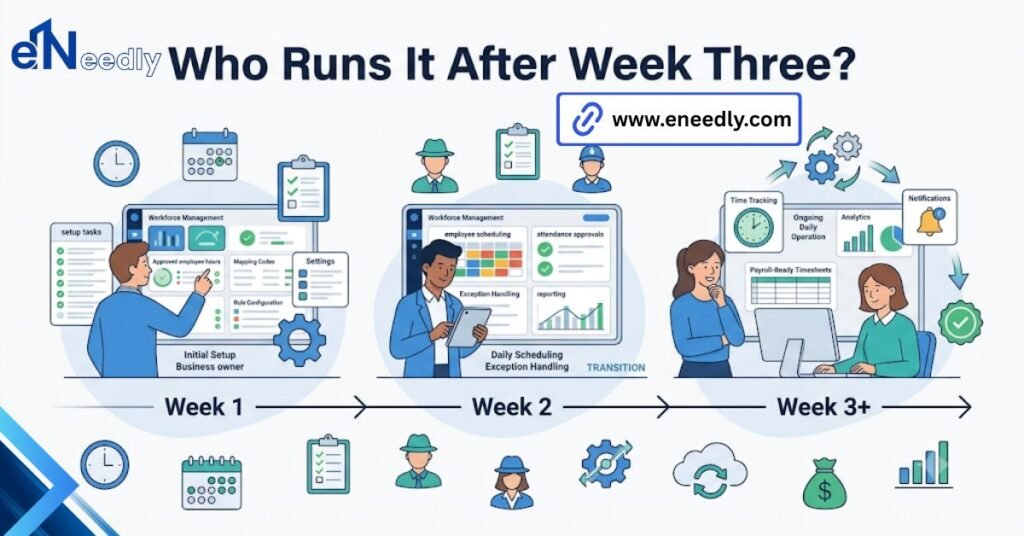
Small business rollouts stall at week three rather than at purchase, when the person who championed the software goes back to their real job, and nobody inherits the approvals.
The champion problem
Someone in your business is excited about this. They ran the demos, they made the spreadsheet, and they have opinions about the mobile app. That enthusiasm is not a plan. It is a person with a day job, and in three weeks, their day job wins.
Name the owner of the weekly approval before you sign, and make it someone whose actual role includes it. If nobody’s role includes it, you have found the thing to fix before you buy software.
What “easy to use” means when the user is a shift manager, not you
Every product claims to be easy to use, and they are all easy for the person evaluating them, because that person is motivated and reading carefully. Your shift manager is neither. They are doing this at 6 am between two other tasks on a cracked phone.
Easy means something narrower here. It means the approval screen loads fast, shows the exceptions first, and lets someone fix a missed punch in under thirty seconds without deciding what a rounding rule is. Judge it on that screen. Not the dashboard the salesperson opens with.
The test nobody runs
Nobody tests the software against their busiest week. They test it on a quiet Tuesday with three punches and a manager who is paying attention. Run the trial through your worst week instead. The one with the sick call, the double shift, and the person who left early for a funeral.
If the product survives that, it survives everything. If you only ever test the easy case, you have learned nothing you did not already assume.
Your staff have to tolerate it, or they will root around it
Managers are half the problem. The other half punch the clock, and in a team of fifteen, they have more influence over whether this works than any feature does. Nobody in a small business is anonymous.
If two people decide the app is a hassle and start texting their hours to a supervisor instead, that is thirteen percent of your workforce back on the old system, and the supervisor will accommodate them because they eat lunch together.
So the adoption question is not technical. It is whether clocking in is faster than not clocking in. Watch for the small frictions: a login that times out, an app that demands an update at 6 am, a shared tablet three rooms from the entrance.
Each one is a reason to skip it, and skipping is contagious in a small team in a way it never is at 400 people. Ask two of your staff to try it during the trial. They will tell you in a sentence what a month of your own evaluation would not.
Setup is the real price, and it is paid in your hours
Buyers shortlist on the monthly price and never price the setup hours, which, for a small team, is the larger number because those hours come out of the owner’s own week. Twenty hours of your time configuring shift rules and enrolling staff are not free.
It is the most expensive resource in the building, and it does not appear on any quote. Ask every vendor one question: how many hours, realistically, from signature to first clean payroll run? Then double whatever they say.
Why are the easiest products to set up the hardest to change later
The products marketed as easiest to set up are easy because they make the configuration decisions for you, and those are precisely the decisions you will want to change in year two. Opinionated software is a genuine gift when your needs are simple.
It becomes a wall the moment you add a second site or a shift pattern the designers never imagined. There is no clean answer here, only a trade-off worth stating out loud. Opinionated software suits a business whose operation is settled.
Configurable software suits one that is still changing shape, and charges you for setup time for the privilege. Pick based on which of those you are, not on which demo felt smoother.
The export that your accountant will accept
The purchase succeeds or fails on one file. Ask for a real sample of the payroll export during the trial, then send it to whoever does your books before you commit. If they reply asking what they are supposed to do with it, you have not automated payroll.
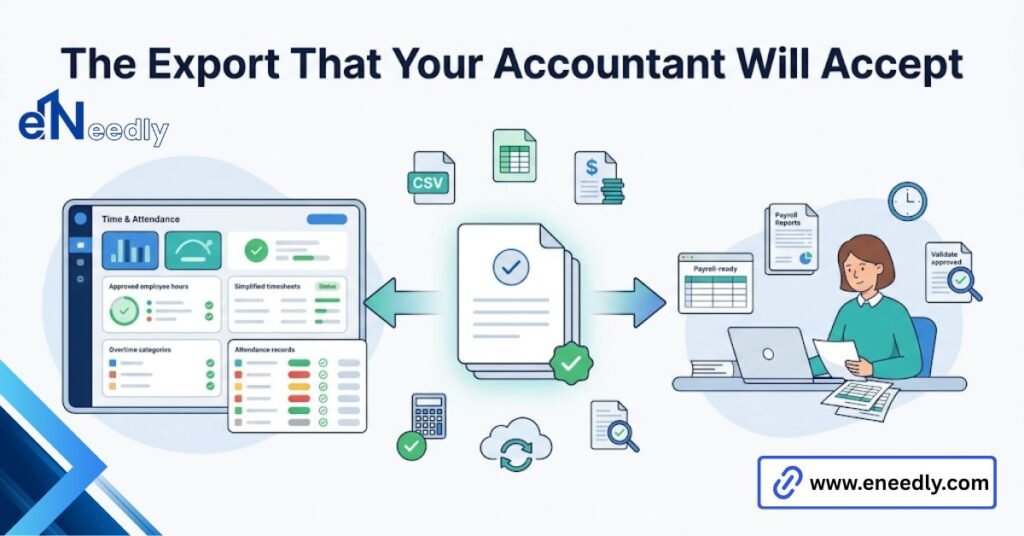
You have moved the manual work from your kitchen table to their desk and started paying a subscription for the privilege. This takes one email. Almost nobody sends it.
What happens when you grow from 12 to 40?
Growth breaks small business attendance software in a specific and predictable way, and it is worth knowing the shape of it before you choose. With 12 people, you know everyone’s hours by instinct. The software is a record.
At 40, you do not, and the software becomes the only source of truth, which means the parts you never configured properly start to matter. Plan for the headcount you expect, not the one you have.
The tier jump nobody prices in advance
Per-user pricing looks linear until it is not. Products bundle features into tiers, and the feature you will need at 40, usually approval workflows or multi-site reporting, sits two tiers above where you started.
So the jump is not from 12 seats to 40 seats. It ranges from 12 seats on the basic plan to 40 seats on the professional plan, which is a different multiple entirely. Ask for the full tier table at the start. Not the plan you are buying. All of them.
When outgrowing it is a good outcome
Growing out of a cheap product is a success, not a mistake, and treating it as one leads people to overbuy on day one for a business they do not have yet. Buy for the next eighteen months.
If you outgrow it in two years, the tool did its job, and you can afford a better one by then. The broader category you would graduate into is covered in our guide to cloud-based time and attendance management software.
Cheap time and attendance software: where affordable stops being affordable
Cheap time and attendance software is a reasonable thing to want, and for a settled team of ten, there is nothing wrong with the bottom of the market. The punching works. The maths works.
Affordable time tracking software stops being affordable at one specific point: when saving money on the tool costs you hours you could have billed.
That maths is brutal for a small business. A cheaper plan that adds two hours a month of manual reconciliation is not cheaper for anybody whose time has a rate attached. Do that calculation once, honestly, with your own hourly figure. It usually ends the debate.
Small business attendance software on an annual contract
Annual plans are cheaper per month, and that discount is real. It also removes your ability to leave when the product turns out to be wrong for you.
For a first purchase, pay monthly for the first quarter, even at a premium. You are buying an exit, and at this stage, the exit is worth more than the discount. Sign the annual deal at renewal when you actually know.
What eNeedly does after the launch
Most of our work on these projects happens after the software is live, because that is where small businesses lose the value they paid for. The launch is easy. Somebody enthusiastic gets everyone enrolled, and the first payroll run goes fine.
Then, week three arrives, the champion of eneedly is busy, and the exceptions start piling into a queue nobody owns.
Our part is the handover. We document who approves what and when, build the export so it lands in your accountant’s format without a human touching it, and configure the rules properly once, so nobody has to understand them later.
Across 8+ years, the pattern is consistent enough to plan around: businesses do not fail at buying this software; they fail at owning it. When the off-the-shelf product genuinely cannot hold your shift patterns, we build what can, but we will tell you first if you do not need us.
How to shortlist in one week
Give this five days and stop. Extending the evaluation does not improve the decision; it just delays the Sunday you get back. Monday, write down your distinct shift patterns and your headcount in eighteen months. Two numbers. That is your brief.
Tuesday and Wednesday, run two trials, not five. Put your actual shift manager in front of the approval screen and watch without helping. Thursday, request the sample export from both and forward it to your accountant.
Friday, pay monthly for whichever one your manager did not complain about. If you want an outside read before you commit, or a straight answer on whether you need paid software at all, our consultation is free, and we do not resell any of these products.
Frequently Asked Questions
What should a team of ten expect to pay?
Pricing is almost always per user per month with a minimum user floor, so a team of ten frequently pays for a floor of fifteen. Ask for the effective monthly total at your headcount, not the advertised per-user rate.
Do we need a physical clock, or is an app enough?
An app is enough for most small teams, and it is cheaper and faster to deploy. Physical hardware earns its cost when staff do not carry phones, or when one door serves a rush of people at shift start.
How long does setup actually take?
Longer than the vendor says, mostly because of your own decisions rather than the software. Budget a full working day for configuration and enrollment on a team of twenty, plus one payroll cycle of corrections.
Should we start free and upgrade later?
Yes, if your needs are simple today. Free tiers handle punching and basic totals well. Just confirm your data exports before you commit, so upgrading is a choice rather than a trap.
Should we sign an annual contract for the discount?
Not on a first purchase. Pay monthly for the first quarter, then sign annually at renewal once you know the product suits your operation. The flexibility is worth more than the savings at that stage.
Does the same software work across two locations?
Usually, multi-site reporting sits on a higher tier than single-site reporting. Check the tier table before you open the second location, not after.